Next.js Static
Full Next.js Static Export UI with .NET 10 Identity Auth Template back-end APIs
.NET 10 Next.js Static Export Identity Auth Template
A modern full-stack .NET 10.0 + Next.js 16 project template that combines the power of ServiceStack with Next.js static site generation and React 19. It provides a production-ready foundation for building scalable web applications with integrated authentication, database management, and background job processing.
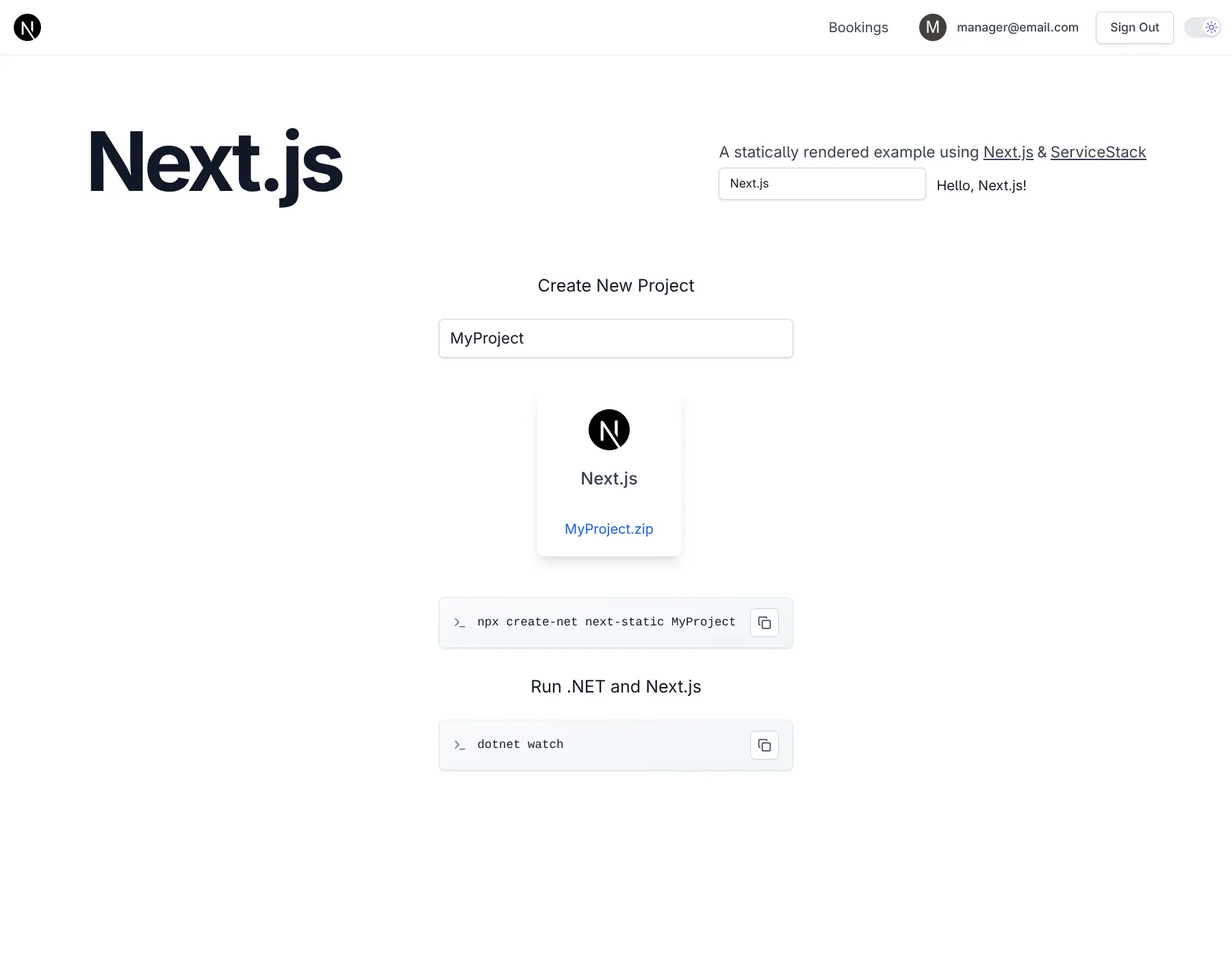
Quick Start
npx create-net next-static MyProjectGetting Started
Run Server .NET Project (automatically starts both .NET and Next.js dev servers):
cd MyProject
dotnet watch
Architecture
Hybrid Development Approach
This template uses a hybrid architecture that optimizes for both development speed and production performance:
Development Mode:

- ASP.NET Core proxies requests to Next.js dev server (running on port 3000)
- Hot Module Replacement (HMR) support for instant UI updates
- WebSocket proxying for Next.js HMR functionality
Production Mode:

- Next.js app is statically exported to
/dist - Static files served directly from ASP.NET Core's
/wwwroot - No separate Node.js server required in production
Core Technologies
Frontend (Next.js 16 + React 19)
- Next.js with static export capability
- Tailwind CSS 4.x - Utility-first styling with PostCSS
- TypeScript - Type-safe development
- Vitest - Modern testing framework
- ServiceStack React Components - Pre-built UI components
.NET Frontend (Integrated + Optional)
- Razor Pages - For Identity Auth UI (
/Identityroutes)
Backend (.NET 10.0)
- ServiceStack 10.x - High-performance web services framework
- ASP.NET Core Identity - Complete authentication & authorization system
- Entity Framework Core - For Identity data management
- OrmLite - ServiceStack's fast, lightweight Typed ORM for application data
- SQLite - Default database (easily upgradable to PostgreSQL/SQL Server/MySQL)
Major Features
1. Authentication & Authorization
- ASP.NET Core Identity integration with role-based access control
- Custom user sessions with additional claims
- Admin users feature for user management at
/admin-ui/users - Email confirmation workflow (configurable SMTP)
- Razor Pages for Identity UI (
/Identityroutes) - Credentials-based authentication
2. AutoQuery CRUD
- Declarative API development with minimal code
- Complete Auth-protected CRUD operations (see Bookings example at
/bookings-auto) - Automatic audit trails (created/modified/deleted tracking)
- Built-in validation and authorization
- Type-safe TypeScript DTOs auto-generated from C# models
3. Background Jobs
BackgroundsJobFeaturefor async task processing- Command pattern for job execution
- Email sending via background jobs
- Recurring job scheduling support
- Upgradable to
DatabaseJobsFeaturefor enterprise RDBMS
4. Developer Experience
- Admin UI at
/admin-uifor App management - Health checks at
/upendpoint - Modular startup configuration pattern
- Code-first migrations with OrmLite
- Docker support with container publishing
- Kamal deployment configuration included
5. Production Features
- Static asset caching with intelligent cache invalidation
- Clean URLs without
.htmlextensions - HTTPS redirection and HSTS
- Data protection with persistent keys
- Health monitoring
- Database developer page for EF Core errors
Project Structure
MyApp/                         # .NET Backend (hosts both .NET and Next.js)
├── Configure.*.cs             # Modular startup configuration
├── Migrations/                # EF Core Identity migrations + OrmLite app migrations
├── Pages/                     # Identity Auth Razor Pages
└── wwwroot/                   # Production static files (from MyApp.Client/dist)

MyApp.Client/                  # React Frontend
├── app/                       # Next.js App Router pages
├── components/                # React components
├── lib/                       # Utilities and helpers
│   ├── dtos.ts                # Auto-generated from C# (via `npm run dtos`)
│   ├── gateway.ts             # ServiceStack JsonServiceClient
│   └── utils.ts               # Utility functions
├── public/                    # Static assets
├── dist/                      # Build output (production)
├── styles/                    # Tailwind CSS styles
└── next.config.mjs            # Next.js config for dev mode

MyApp.ServiceModel/            # DTOs & API contracts
├── *.cs                       # C# Request/Response DTOs
├── api.d.ts                   # TypeScript data models Schema
└── *.d.ts                     # TypeScript data models for okai code generation

MyApp.ServiceInterface/        # Service implementations
├── Data/                      # EF Core DbContext and Identity models
└── *Services.cs               # ServiceStack service implementations

MyApp.Tests/                   # .NET tests (NUnit)
├── IntegrationTest.cs         # API integration tests
└── MigrationTasks.cs          # Migration task runner

config/
└── deploy.yml                 # Kamal deployment settings
.github/
└── workflows/
    ├── build.yml              # CI build and test
    ├── build-container.yml    # Container image build
    └── release.yml            # Production deployment with Kamal
Development Workflow
For detailed information on the development workflow, including starting development servers, generating TypeScript DTOs, database migrations, and testing, see:
Development Workflow Documentation
Configuration
For detailed configuration information, including app settings, SMTP email setup, and upgrading to enterprise databases (PostgreSQL/SQL Server/MySQL), see:
Deployment
For deployment instructions, including Docker + Kamal setup and GitHub Actions configuration, see:
AutoQuery CRUD Dev Workflow
For Rapid Development simple TypeScript Data Models can be used to generate C# AutoQuery APIs and DB Migrations.
Ideal Use Cases
- SaaS applications requiring authentication
- Admin dashboards with CRUD operations
- Content-driven sites with dynamic APIs
- Applications needing background job processing
- Projects requiring both SSG benefits and API capabilities
- Teams wanting type-safety across full stack