React SPA
Full-featured Vite React SPA with .NET 10 Identity Auth Template
These full-featured templates serve as reference implementations for how to implement popular features and integrate them within .NET React Templates.
.NET 10 Full-featured Vite React SPA Template
A modern full-stack .NET 10 + Vite React 19 SPA project template that combines the power of ServiceStack with a fast Vite-powered React development experience. It provides a production-ready foundation for building scalable web applications with integrated authentication, background job processing, and built-in Admin.
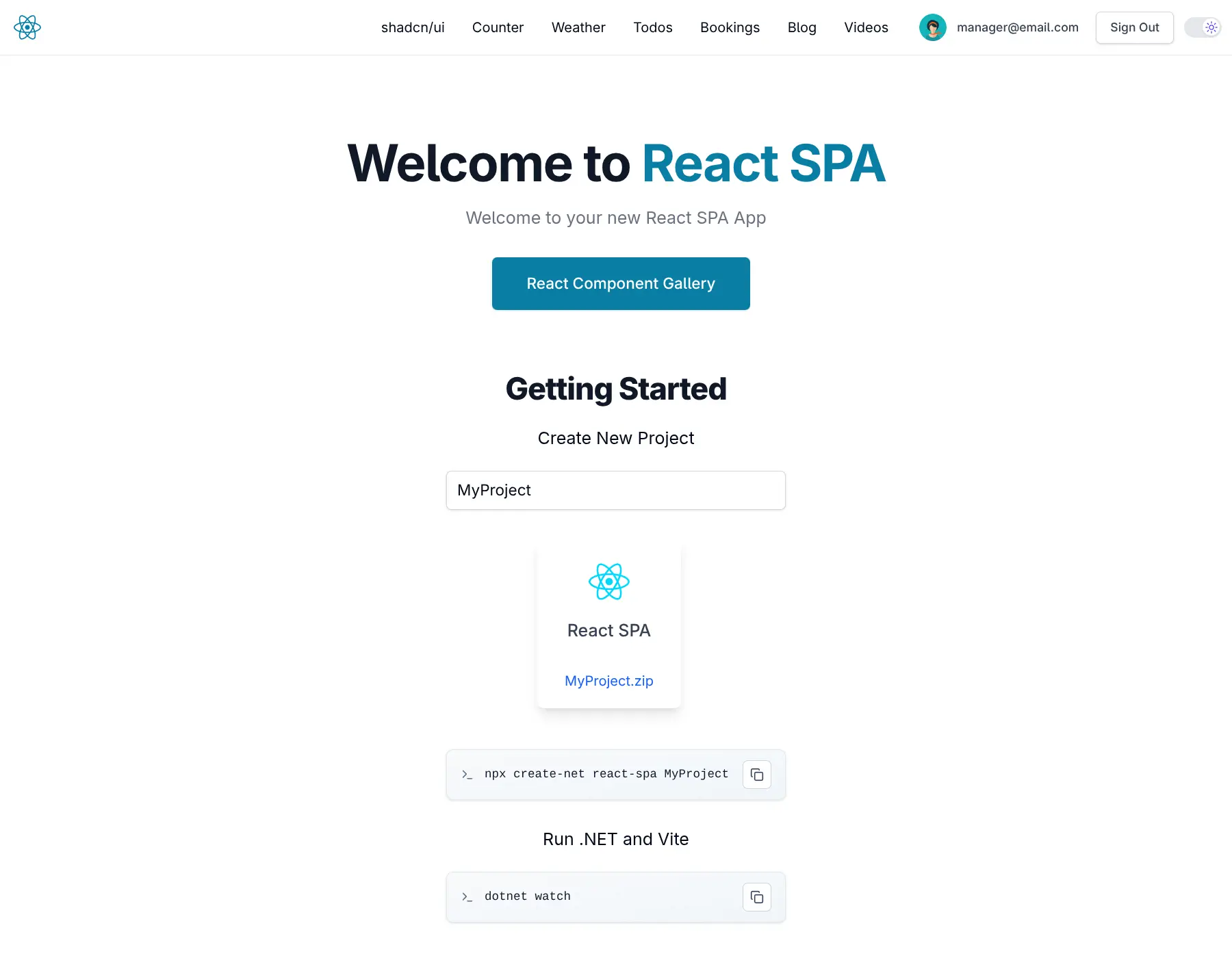
Quick Start
npx create-net react-spa MyProjectGetting Started
Run Server .NET Project (automatically starts both .NET and Vite dev servers):
cd MyProject
dotnet watch
Architecture
Hybrid Development Approach
Development Mode:

- ASP.NET Core proxies requests to Vite dev server (running on port 5173)
- Hot Module Replacement (HMR) support for instant UI updates
- WebSocket proxying for Vite HMR functionality
Production Mode:

- React app is built and output to
/dist - Static files served directly from ASP.NET Core's
/wwwroot - No separate Node.js server required in production
Core Technologies
Frontend
- React 19 - Latest React with concurrent features
- Vite - Lightning-fast build tool with HMR
- React Router 7 - Type-safe client-side routing
- shadcn/ui - Beautiful, accessible component library
- Tailwind CSS 4 - Utility-first styling with dark mode support
- @servicestack/react - Pre-built form components and AutoQueryGrid
- SWR - React Hooks for data fetching with caching
.NET Frontend (Integrated + Optional)
- Razor Pages - For Identity Auth UI (
/Identityroutes)
Backend (.NET 10.0)
- ServiceStack 10.x - High-performance web services framework
- ASP.NET Core Identity - Complete authentication & authorization system
- Entity Framework Core - For Identity data management
- OrmLite - ServiceStack's fast, lightweight Typed ORM for application data
- SQLite - Default database (easily upgradable to PostgreSQL/SQL Server/MySQL)
Major Features
🔐 Identity Authentication
Full ASP.NET Core Identity integration with ServiceStack's Auth features:
- Credentials Authentication - Email/password sign-in with secure cookie sessions
- User Registration - With email confirmation support
- Role-based Authorization - Admin, Manager, Employee roles with
[ValidateHasRole] - Admin Users UI - Built-in user management at
/admin-ui/users - API Keys - Generate and manage API keys for programmatic access
📊 AutoQuery CRUD
Declarative APIs with automatic query and CRUD functionality:
- AutoQuery - Queryable APIs with filtering, sorting, and pagination
- AutoQueryData - In-memory queryable data sources
- Audit History - Automatic tracking of data changes
- Bookings Example - Complete CRUD example with role-based permissions
🤖 AI Chat Integration
Built-in AI chat capabilities:
- ChatFeature - Multi-provider AI chat API
- Configurable Providers - ServiceStack, OpenAI, Anthropic, Google, Groq, and more
- Chat History - Persistent storage with
DbChatStore - Admin Analytics - Chat usage insights at
/admin-ui/chat
⚙️ Background Jobs
Durable job processing with ServiceStack's Background Jobs:
- Command Pattern - Type-safe job definitions
- Email Queue - SMTP email sending via background jobs
- Recurring Jobs - Scheduled task execution
- Job Dashboard - Monitor jobs at
/admin-ui/jobs
📝 MDX Blog
Integrated markdown blog with:
- MDX Support - Markdown with React components
- Syntax Highlighting - Prism.js code blocks
- vite-plugin-press - Static content generation
- Frontmatter - YAML metadata for posts
- Typography Styling - Beautiful prose with
@tailwindcss/typography
🗄️ Database
SQLite with dual ORM support:
- OrmLite - ServiceStack's fast micro-ORM for services
- Entity Framework Core - For Identity and complex queries
- Code-First Migrations - EF Core migrations in
/Migrations - Database Admin UI - Browse data at
/admin-ui/database
📡 Request Logging
Comprehensive API logging:
- SqliteRequestLogger - Persistent request logging to SQLite
- Request Body Tracking - Full request payload capture
- Error Tracking - Automatic error logging
- Admin Dashboard - View logs at
/admin-ui/logging
🏥 Health Checks
Production-ready health monitoring:
- Health Endpoint -
/upfor load balancer checks - Custom Health Checks - Extensible health check framework
🔄 TypeScript DTOs
Automatic TypeScript type generation:
- Type-Safe API Calls - Generated from C# DTOs
- Sync Command -
npm run dtosto update types - ServiceStack Client - Full-featured TypeScript client
📖 OpenAPI & Scalar
API documentation with modern tooling:
- OpenAPI 3.0 - Auto-generated API specifications
- Scalar API Reference - Interactive API documentation at
/scalar/v1 - Development Mode - API docs available in development
🐳 Docker Deployment
Production-ready containerization:
- Kamal Deployment - Zero-downtime deploys with Kamal
- GitHub Container Registry - Automatic container builds
- SSL Auto-Certification - Let's Encrypt integration
- Volume Persistence -
App_Datavolume mounting for SQLite
🌙 Dark Mode
Built-in theme support:
- System Preference - Respects OS dark mode setting
- Tailwind CSS 4 - Native dark mode utilities
- Consistent Theming - All components support dark mode
Project Structure
MyApp/                       # Main ASP.NET Core host
├── Configure.*.cs           # Modular startup configuration
├── Program.cs               # Application entry point
└── wwwroot/                 # Static files (production)

MyApp.Client/                # Vite React SPA frontend
├── src/
│   ├── pages/               # React Router pages
│   ├── components/          # React components
│   ├── lib/                 # Utilities and helpers
│   └── styles/              # Tailwind CSS styles
├── public/                  # Static assets
├── dist/                    # Build output (production)
└── vite.config.ts           # Vite configuration

MyApp.ServiceInterface/      # Service implementations
├── MyServices.cs            # Example services
└── Data/                    # EF Core DbContext

MyApp.ServiceModel/          # DTOs and service contracts
├── Bookings.cs              # AutoQuery CRUD example
└── Hello.cs                 # Example service contract

MyApp.Tests/                 # Integration and unit tests

config/                      # Deployment configuration
└── deploy.yml               # Kamal deployment settings

.github/                     # GitHub Actions workflows
└── workflows/
    ├── build.yml            # CI build and test
    ├── build-container.yml  # Container image build
    └── release.yml          # Production deployment with Kamal
Example Pages
| Page | Description |
|---|---|
/ | Home page with getting started guide |
/todomvc | TodoMVC example with ServiceStack APIs |
/bookings-auto | AutoQueryGrid with automatic columns |
/bookings-custom | Custom booking form with validation |
/admin | Protected admin page (requires Admin role) |
/profile | User profile management |
/blog | MDX blog listing |
/shadcn-ui | shadcn/ui component showcase |
/about | About page (MDX) |
/privacy | Privacy policy page (MDX) |
Admin UIs
Access built-in admin dashboards at:
/admin-ui- Admin dashboard home/admin-ui/users- User management/admin-ui/database- Database browser/admin-ui/logging- Request logs/admin-ui/jobs- Background jobs/admin-ui/apikeys- API key management/admin-ui/chat- AI chat analytics
Development Workflow
For detailed information on the development workflow, including starting development servers, generating TypeScript DTOs, database migrations, and testing, see:
Development Workflow Documentation
Configuration
For detailed configuration information, including app settings, SMTP email setup, and upgrading to enterprise databases (PostgreSQL/SQL Server/MySQL), see:
Deployment
For deployment instructions, including Docker + Kamal setup and GitHub Actions configuration, see:
Ideal Use Cases
- Dashboards - Admin panels and internal tools
- SaaS Applications - Rich, interactive web apps
- Mobile Wrappers - Apps that need to be wrapped for mobile stores
- Full-featured applications requiring authentication
- Projects needing AI chat integration
- Applications with background job processing requirements
- Teams wanting type-safety across full stack