Astro
Statically generated Astro site with React islands and .NET 10 Identity Auth Template back-end APIs
.NET 10 Astro Static Identity Auth Template
A modern full-stack .NET 10.0 + Astro project template that combines the power of ServiceStack with a statically generated Astro site and interactive React 19 islands. It's ideal for content-first websites like blogs, docs, marketing and product sites: pages are written in Astro, Markdown or MDX and prerendered to HTML that ships no JavaScript by default, while React islands add interactive features powered by ServiceStack APIs and ASP.NET Core Identity Auth. There's no Node.js server to run in production.
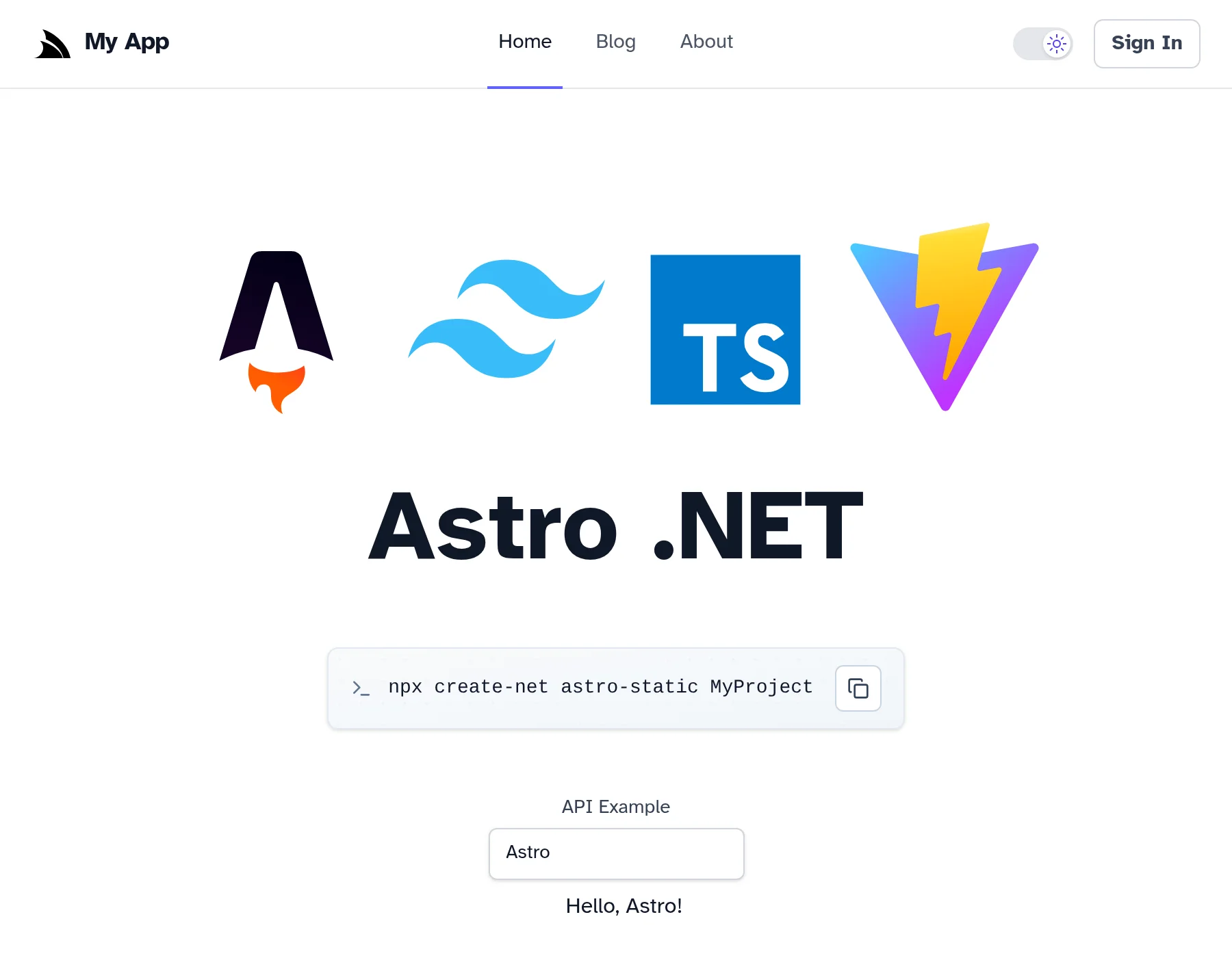
Quick Start
npx create-net astro-static MyProjectGetting Started
Run Server .NET Project (automatically starts both .NET and Astro dev servers):
cd MyProject
dotnet watch
Why Astro?
Astro is a web framework for content-driven websites, and an alternative to Next.js for sites where most pages are content with some interactive features:
- Zero JavaScript by default - pages are rendered to plain HTML and CSS with no JavaScript shipped to the browser unless a component needs it, giving you small pages, fast first loads and great SEO and Core Web Vitals scores without having to optimize for them
- Islands Architecture - interactive React components are hydrated as independent "islands" in an otherwise static page, where you choose when each one loads, e.g.
client:loadto hydrate immediately,client:visiblewhen scrolled into view orclient:onlyto only render in the browser - Content-first - Markdown and MDX are first-class pages, whilst Content Collections validate each post's frontmatter against a typed schema, so a missing title or invalid date is a build error instead of a broken page
- Just HTML, plus components -
.astrocomponents are HTML templates with a frontmatter script that runs at build time, so there are no React Server Components,"use client"boundaries or server/client component rules to learn, making pages simpler to reason about and easier for AI Agents to get right - Built on Vite - Astro uses Vite for its dev server, HMR and production builds, and the template uses the Vite+ toolchain for checking, linting, formatting and testing
- Static by default - static output is Astro's default rather than an export mode with features to avoid, so there are no unsupported APIs to work around when serving your site from your .NET App
- Batteries included - official integrations for MDX, RSS feeds, sitemaps and optimized images, with React support provided by the
@astrojs/reactintegration, letting you reuse React components and the @servicestack/react component library - Vendor Neutral - Astro isn't designed around any hosting platform, and with static output it's deployed as part of your .NET App
Architecture
Hybrid Development Approach
This template uses a hybrid architecture that optimizes for both development speed and production performance:
Development Mode:

- ASP.NET Core proxies requests to the Astro dev server (running on port 5173), which renders pages on request
- Hot Module Replacement (HMR) support: React islands update in place, whilst
.astroand Markdown changes reload the page - WebSocket proxying for Vite HMR functionality
Production Mode:

- Every page is prerendered to static HTML in
MyApp.Client/dist, plusrss.xmland the sitemap - Static files served directly from ASP.NET Core's
/wwwroot, with clean URLs (/blog/first-post=>blog/first-post.html) - Any other path returns the prerendered
404.htmlwith a 404 status - No separate Node.js server required in production
Pages and React Islands
Pages are .astro, .md or .mdx files in src/pages/, each one a separate HTML document using layouts/Layout.astro for the shared <head>, header and footer. React components without a client:* directive are rendered to static HTML at build time, whilst components with one are hydrated in the browser:
---
import { ShellCommand } from 'react-net-templates'
import { HelloApi } from '../components/islands'
import Layout from '../layouts/Layout.astro'
---

<Layout>
    <!-- Rendered to static HTML at build time, with no JS -->
    <ShellCommand>npx create-net astro-static MyProject</ShellCommand>

    <!-- Interactive React island, hydrated in the browser -->
    <HelloApi client:load value="Astro" />
</Layout>| Directive | Behavior |
|---|---|
| (none) | Rendered to static HTML at build time, no JavaScript |
client:load | Prerendered, then hydrated as soon as the page loads |
client:visible / client:idle | Prerendered, then hydrated later, for components below the fold |
client:only="react" | Only rendered in the browser, for components that depend on the signed-in user or browser state |
As each island is a separate React root, interactive components are wrapped with withApp() from lib/app.tsx, which provides the ServiceStack ClientContext for useClient() and loads the App's metadata and signed-in user once per page load, shared by every island on the page:
// components/islands.tsx
import { withApp } from '@/lib/app'
import HelloApiComponent from './HelloApi'

export const HelloApi = withApp(HelloApiComponent)
Markdown & MDX Blog
Blog posts are Markdown/MDX files in src/content/blog/, a content collection whose frontmatter is validated by the schema in content.config.ts:
const blog = defineCollection({
    loader: glob({ base: './src/content/blog', pattern: '**/*.{md,mdx}' }),
    schema: ({ image }) =>
        z.object({
            title: z.string(),
            description: z.string(),
            pubDate: z.coerce.date(),
            updatedDate: z.coerce.date().optional(),
            heroImage: z.optional(image()),
        }),
})
Each post is prerendered by pages/blog/[...slug].astro, and listed in the RSS feed at /rss.xml and the generated sitemap.
Static Site Rules
As there's no Node.js server in production:
- Frontmatter code runs at build time - code between the
---fences runs in Node.js when the site is built, not in the browser, so don't fetch per-user data or call authenticated APIs there. Call ServiceStack APIs from React islands withuseClient()instead - Dynamic routes must be known at build time -
[param].astropages must list every value ingetStaticPaths(), so data that changes at runtime should be fetched in a React island from a ServiceStack API - Pages are prerendered signed-out - check
readyfromappAuth()before rendering user-specific UI, render such components withclient:only="react", and protect them withValidateAuth()fromlib/auth.tsx, which waits for the App to be ready before redirecting - Props passed to hydrated islands must be serializable - e.g. no functions
These rules are also documented in the template's AGENTS.md so AI Agents know which Astro features to use and which to avoid.
Core Technologies
Frontend (Astro + React 19)
- Astro - Content-driven web framework, used for static site generation, Markdown/MDX pages and React islands
- Vite+ - Unified toolchain: Vitest, Oxlint and Oxfmt via the
vpCLI - Tailwind CSS 4.x - CSS-first configuration with
@tailwindcss/viteplugin - TypeScript - Type-safe development, type checked by Oxlint (TypeScript Go)
- Vitest - Modern testing framework
- ServiceStack React Components - Pre-built UI components
.NET Frontend (Integrated + Optional)
- Razor Pages - For Identity Auth UI (
/Identityroutes)
Backend (.NET 10.0)
- ServiceStack 10.x - High-performance web services framework
- ASP.NET Core Identity - Complete authentication & authorization system
- Entity Framework Core - For Identity data management
- OrmLite - ServiceStack's fast, lightweight Typed ORM for application data
- SQLite - Default database (easily upgradable to PostgreSQL/SQL Server/MySQL)
Major Features
1. Content
- Markdown/MDX blog with typed frontmatter
- RSS feed and sitemap generation
- Pages ship no JavaScript unless they include an interactive island
2. Authentication & Authorization
- ASP.NET Core Identity integration with role-based access control
- Custom user sessions with additional claims
- Admin users feature for user management at
/admin-ui/users - Email confirmation workflow (configurable SMTP)
- Razor Pages for Identity UI (
/Identityroutes) - Credentials-based authentication
3. AutoQuery CRUD
- Declarative API development with minimal code
- Automatic audit trails (created/modified/deleted tracking)
- Built-in validation and authorization
- Type-safe TypeScript DTOs auto-generated from C# models
4. Background Jobs
BackgroundsJobFeaturefor async task processing- Command pattern for job execution
- Email sending via background jobs
- Recurring job scheduling support
- Upgradable to
DatabaseJobsFeaturefor enterprise RDBMS
5. Developer Experience
- Admin UI at
/admin-uifor App management - Health checks at
/upendpoint - Modular startup configuration pattern
- Code-first migrations with OrmLite
- Docker support with container publishing
- Kamal deployment configuration included
6. Production Features
- Static asset caching with intelligent cache invalidation
- Clean URLs without
.htmlextensions - HTTPS redirection and HSTS
- Data protection with persistent keys
- Health monitoring
- Database developer page for EF Core errors
Project Structure
MyApp/                         # .NET Backend (hosts both .NET and Astro)
├── Configure.*.cs             # Modular startup configuration
├── Migrations/                # EF Core Identity migrations + OrmLite app migrations
├── Pages/                     # Identity Auth Razor Pages
└── wwwroot/                   # Production static files (from MyApp.Client/dist)

MyApp.Client/                  # Astro Frontend
├── src/
│   ├── pages/                 # File-based routes
│   │   ├── index.astro        # Home page (/)
│   │   ├── about.astro        # About page (/about)
│   │   ├── profile.astro      # Auth-protected page (/profile)
│   │   ├── forbidden.astro    # 403 page (/forbidden)
│   │   ├── 404.astro          # 404 page
│   │   ├── blog/              # Blog index and a page per post
│   │   └── rss.xml.js         # RSS feed (/rss.xml)
│   ├── layouts/               # Layout.astro (every page), BlogPost.astro (blog posts and about)
│   ├── content/blog/          # Markdown/MDX blog posts
│   ├── content.config.ts      # Content collection schemas
│   ├── components/
│   │   ├── islands.tsx        # React islands: HelloApi, UserMenu, AuthButtons, Profile, DarkModeToggle
│   │   └── *.astro            # Header, Footer, BaseHead, ...
│   ├── lib/
│   │   ├── dtos.ts            # Auto-generated from C# on .NET App startup
│   │   ├── gateway.ts         # ServiceStack JsonServiceClient, init(), useAppReady()
│   │   ├── app.tsx            # withApp() wrapper for React islands
│   │   ├── auth.tsx           # ValidateAuth() and appAuth()
│   │   └── utils.ts           # Utility functions
│   ├── consts.ts              # Site title and description
│   └── styles/global.css      # Tailwind CSS
├── astro.config.mjs           # Astro config: static output, integrations, dev server
└── vite.config.ts             # Vite+ config: lint, fmt, test

MyApp.ServiceModel/            # DTOs & API contracts
├── *.cs                       # C# Request/Response DTOs
├── api.d.ts                   # TypeScript data models Schema
└── *.d.ts                     # TypeScript data models for okai code generation

MyApp.ServiceInterface/        # Service implementations
├── Data/                      # EF Core DbContext and Identity models
└── *Services.cs               # ServiceStack service implementations

MyApp.Tests/                   # .NET tests (NUnit)
├── IntegrationTest.cs         # API integration tests
└── MigrationTasks.cs          # Migration task runner

config/
└── deploy.yml                 # Kamal deployment settings
.github/
└── workflows/
    ├── build.yml              # CI build and test
    ├── build-container.yml    # Container image build
    └── release.yml            # Production deployment with Kamal
Development Workflow
For detailed information on the development workflow, including starting development servers, generating TypeScript DTOs, database migrations, and testing, see:
Development Workflow Documentation
Configuration
For detailed configuration information, including app settings, SMTP email setup, and upgrading to enterprise databases (PostgreSQL/SQL Server/MySQL), see:
Deployment
For deployment instructions, including Docker + Kamal setup and GitHub Actions configuration, see:
AutoQuery CRUD Dev Workflow
For Rapid Development simple TypeScript Data Models can be used to generate C# AutoQuery APIs and DB Migrations.
Ideal Use Cases
- Blogs, documentation, marketing and product sites written in Markdown/MDX
- Content-first sites that want fast page loads and SEO without shipping a JavaScript framework on every page
- Teams preferring HTML-first pages and plain React components over Next.js and React Server Components
- Sites adding interactive features, authentication and APIs to otherwise static content