Customer licenses and renewals
Copy or download license keys, understand update coverage, and renew or upgrade from My licenses.
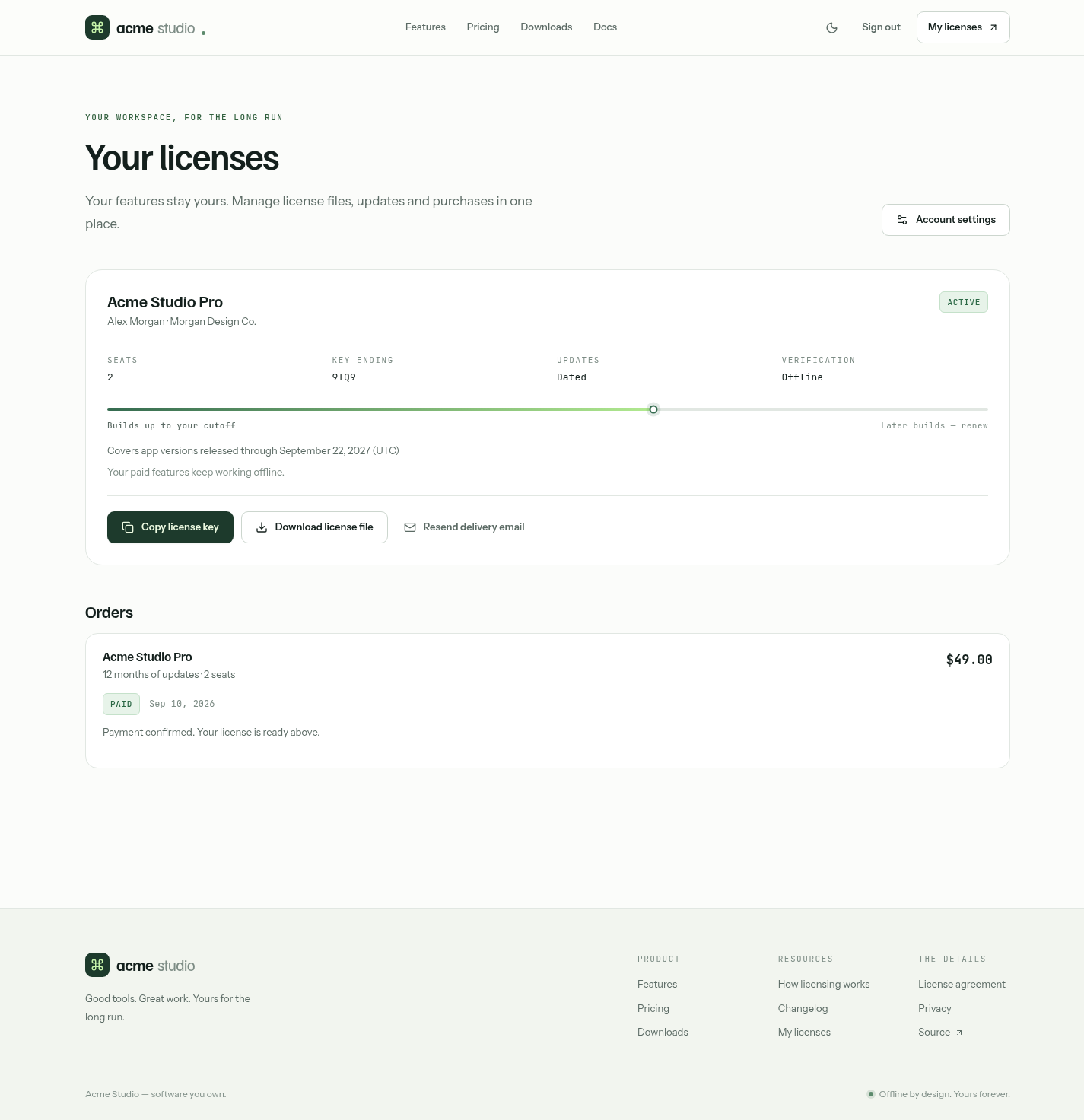
Local demonstration account in light mode. No license token or payment credentials are shown.
Customers sign in and choose My licenses, which opens /account.
Each license card shows the registered name, organization, seats, edition and update coverage. Covers app versions released through… means every version released by that date keeps Pro permanently. Lifetime covers future versions too.
Get the license key
- Copy license key copies the JWT to paste into the app.
- Download license file saves the same JWT as
acme-<id>.license.
Either way, the app verifies the key on the device and then shows the signed name, organization and seat count. Customers should keep the key private: anyone who has it can use and read it.
Resend delivery email sends a message to the account's verified address with a link back to the account. It never attaches the key. Repeat requests within the same hour are combined, and SMTP must be configured.
If an operator revokes a license, the portal stops providing its key. Copies already downloaded keep working offline.
Renew or upgrade
On an active dated license, Renew version updates and Upgrade to lifetime updates appear when those offerings are approved for sale. The customer reviews and accepts the current agreement, then pays in Stripe Checkout. Renewals more than 60 days after the cutoff (configurable) are charged the new-purchase price, which Checkout shows before payment.
After payment the customer copies or downloads the updated key. The license ID stays the same. Keys copied earlier keep their original coverage; renewal doesn't change an offline copy.
Orders
Orders appear below the license cards with the product, update coverage, seats, price, date and payment status. View invoice appears when Stripe has issued an invoice.
Returning from Checkout, the page checks pending orders against Stripe automatically; Check payment status retries manually. If payment is confirmed but no license appears, operators should check the signing configuration and the order's review state. The customer should not pay again.