Organizations and tenancy
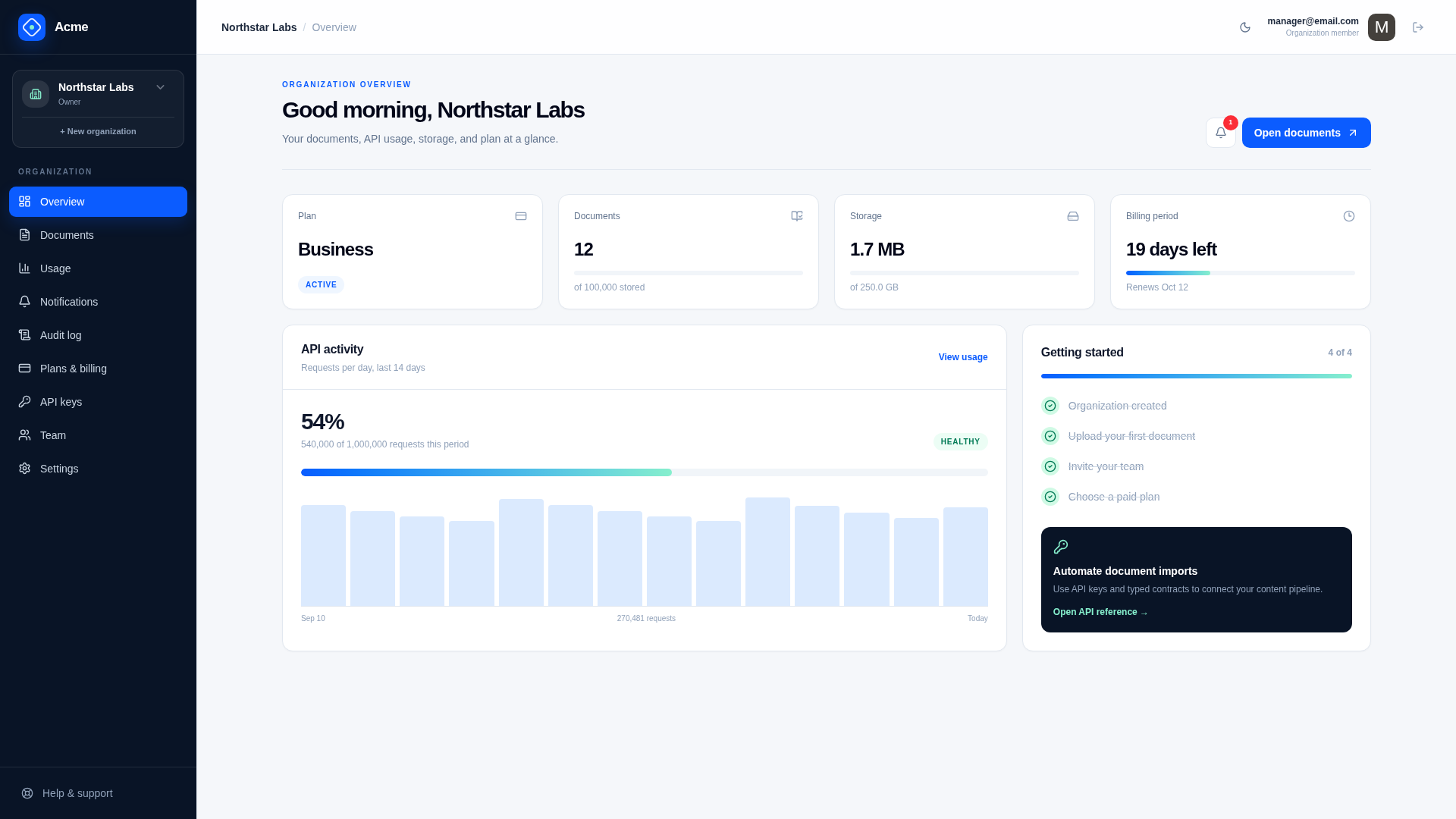
The UI calls a customer boundary an Organization. Internal DTOs and database records use the conventional Workspace name. They describe the same tenant boundary.
Organization context
Registration creates either a private Individual workspace or a Business organization. Both use the same internal Workspace model and tenant isolation. An Individual workspace has one member and no invitations; a Business organization supports team roles and invitations. A user may later create and switch to a separate Business organization.
A user can belong to several organizations, and can have different ones open in different browser tabs. So every API for an organization says which one in its Request DTO, by implementing IRequireWorkspace:
public class QueryStoredFiles : IGet, IReturn<QueryStoredFilesResponse>, IRequireWorkspace
{
    public string WorkspaceId { get; set; } = default!;
}
A client-provided organization or resource ID only identifies what the caller wants. Authorization comes from persisted membership and a database connection that is confined to the organization. Before an IRequireWorkspace API runs, its database connection checks the caller is an active member of the organization (ISaasManager.AssertMembership()), and the request's connections are confined to it. Services read the verified Workspace, WorkspaceMember, user ID, and effective role with:
var scope = Db.GetWorkspaceScope();An API that uses a tenant-owned table without implementing IRequireWorkspace throws.
Product services should pass the organization and membership from this scope into entitlement, access, quota, storage, and audit operations rather than looking them up again.
Active organization selection
One identity can belong to multiple organizations, and can work in different ones in different browser tabs. The server never infers which organization a request is for: the client passes it with every call.
const api = await client.api(new QueryStoredFiles({ workspaceId: tabWorkspaceId() }))- Each tab keeps its organization in
sessionStorage(lib/gateway.ts), so switching in one tab does not change another. - Pages wrapped in
ValidateAuth()wait until the tab's organization is known before they render. GetMyWorkspacesreturns verified active memberships only, andSwitchWorkspacerejects an organization outside that set.UserWorkspacePreferencestores the organization the user last switched to. It is only used to choose the organization a new tab starts in, falling back to an organization they own, then the one they have been in longest.- API keys do not follow the browser's selection; each key is permanently bound to its organization.
Customer roles
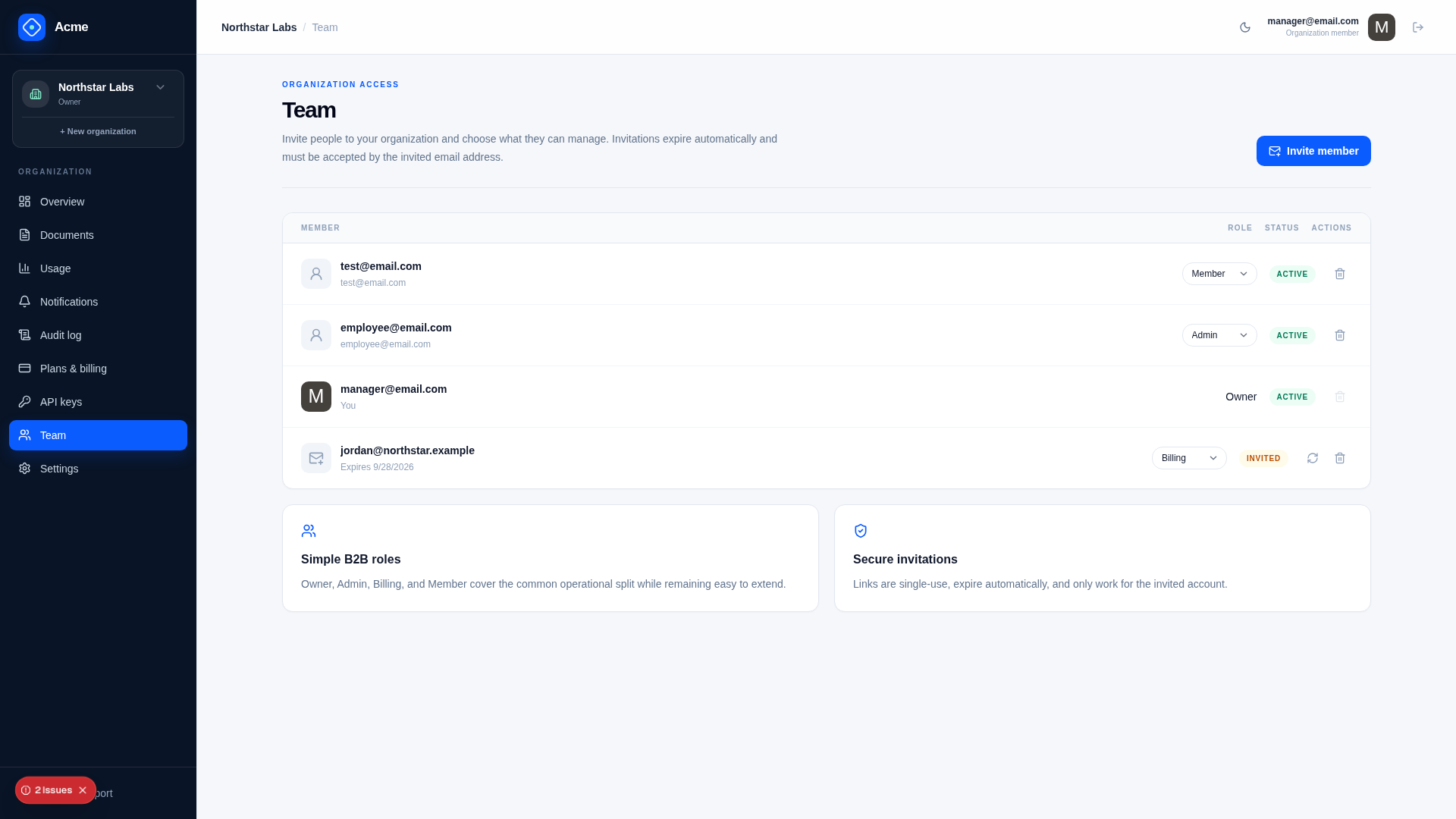
| Role | Typical permissions |
|---|---|
| Owner | All organization administration, ownership transfer, and destructive lifecycle actions |
| Admin | Members, settings, exports, and normal organization administration |
| Billing | Billing and subscription management without general administration |
| Member | Entitled product capabilities |
The Owner role has invariants that ordinary role editing cannot bypass:
- an organization must retain an Owner;
- an Owner transfers ownership through the explicit workflow;
- a sole Owner cannot leave;
- only the Owner can schedule or cancel organization deletion.
Role checks are centralized in WorkspaceAuthorization. UI visibility reflects permission but does not replace server checks.
Platform roles are separate
Platform operators are not organization members by implication. Platform APIs that act on one customer confine their request to that customer's organization, and those that list customers opt out explicitly after their capability check:
| Platform role | Scope |
|---|---|
| Admin | Catalog, platform policy, customer operations, platform audit, and support approval |
| BillingAdmin | Billing-safe customer lookup, reconciliation, and Stripe retries |
| Support | Redacted customer diagnostics during an approved, started, expiring session |
A Support role alone grants no customer access. SupportAccessGrant must match the exact operator and organization and must be active, started, unexpired, and not revoked or ended.
Invitations
Invitations are persisted as pending WorkspaceMember records with:
- normalized invited email;
- random token represented by a one-way hash;
- explicit role;
- expiry and send/revoke dates.
Acceptance requires an authenticated Identity email matching the invitation. Expired, revoked, already active, or mismatched invitations are rejected. A pending invitation may also be promoted on a subsequent authenticated SaaS request after its email is verified. Individual workspaces reject invitations, including acceptance of a previously issued token.
Tenant-owned queries
Tables that implement IHasWorkspaceId are confined to the request's organization by the database connection, so a lookup cannot return another organization's row:
var file = Db.SingleById<StoredFile>(request.Id);          // null if it belongs to another organization
var files = Db.Select<StoredFile>(x => x.Status != StoredFileStatus.Deleted);
The same confinement applies to updates and deletes, and new rows get the connection's organization. See Tenant isolation for how it is enforced, the explicit opt-out for code that works across organizations, and what it does not cover.
Connections that are not opened for a request say whether they are confined when they are opened. Background jobs and commands open one with dbFactory.OpenForWorkspace(workspaceId, "job-name"), or with dbFactory.OpenAcrossWorkspaces("job-name") and explicit WorkspaceId conditions when they process every organization. Raw SQL always keeps an explicit WorkspaceId condition. Apply the boundary in downloads, analytics, exports, caches, and job commands.
API keys
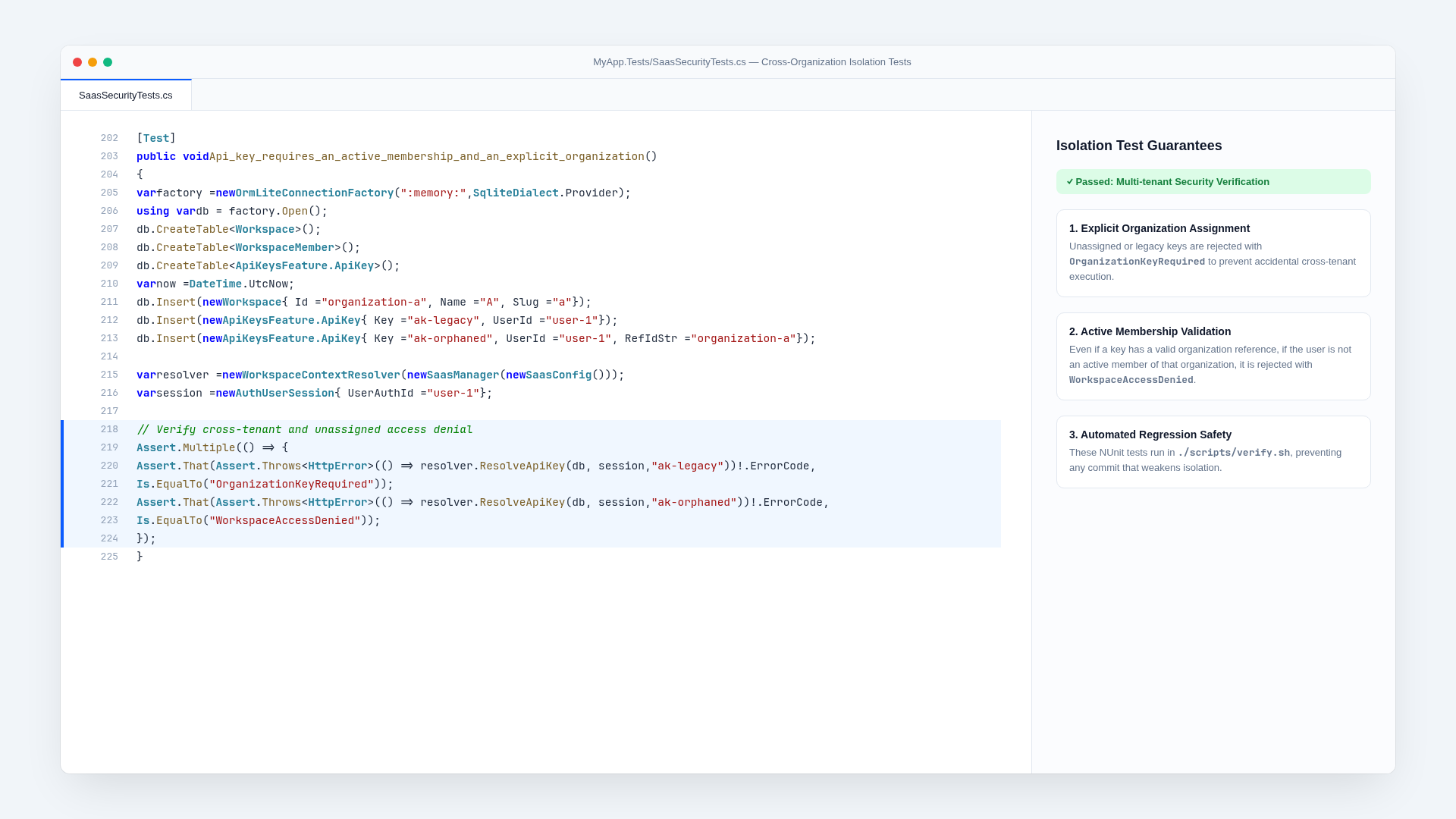
ServiceStack API keys are bound using RefIdStr = WorkspaceId, which the request that creates one has to supply. A request sent with a key requires:
- an active, non-revoked key;
- an explicit organization binding;
- an active membership for the key’s user in that organization;
- an API that allows keys, with a scope the key has;
- applicable feature and rate-limit policy.
A request sent with a key is for the key's organization. It does not need to send a WorkspaceId, and is rejected if it sends another organization's. Raw keys are shown only once; later lists expose a safe visible fingerprint. See API keys.
Files and exports
Object keys contain opaque IDs rather than customer filenames:
workspaces/{workspace-id}/files/{opaque-id}
workspaces/{workspace-id}/exports/{lifecycle-request-id}.zip
Original names remain metadata. Keys are created and checked by a store for one organization (files.ForWorkspace(workspaceId)), which rejects a key from another organization before the store is asked. Export construction runs on a connection confined to the organization, covers every tenant-owned table unless it is deliberately excluded, and writes to an organization-specific object key. See File storage and Data lifecycle.
Background jobs
Job messages carry the organization and stable resource identifiers, not trusted serialized customer state. A worker confines its connection to that organization before it reads anything, then reloads the row, its status, policy, and relevant provider state before acting.
This matters when access, a legal hold, deletion status, or membership changes while work is queued. See Background processing.
Audit columns
Tables deriving from SaasAuditBase have CreatedDate, CreatedBy, ModifiedDate, and ModifiedBy. They are set by the connection that writes the row rather than by each write, and a value assigned by application code is replaced.
| Connection | Recorded as |
|---|---|
| Opened for an authenticated request | The signed-in user |
| Opened by a background job or command | Its name, e.g. dbFactory.OpenAcrossWorkspaces("retention-job") |
| Any other connection | system |
Code that is told who it is writing for, or a policy applied by the system during a user's request, sets the user id for a block of writes:
using (db.WithUserId("lifecycle-policy"))
    db.Update(subscription);
The rules replace any value the code assigns. Data that must keep its own audit dates, such as the example data ExampleDataSeeder writes with dates in the past, is written on db.WithoutFilters(), which is limited to reviewed files.
Insert and Update leave the row with the values the connection wrote, including its WorkspaceId, so it can be returned to the caller without reading it back.
- Never assign audit columns.
CreatedDateandCreatedByhave[IgnoreOnUpdate], so an update that writes every column cannot change them. - Jobs and system policies are not users and have no account, so they record their name as the user ID, such as
retention-joborstripe. Anything that joins these columns to users has to allow for that. - Work a job does on a user's behalf writes as that user, such as deleting a file they asked to delete.
- Data seeded with its own audit dates is written with
WithoutFilters(), asExampleDataSeederdoes.
Audit columns answer who last wrote a row. SaasAuditEvent remains the record of what happened and why.
Adding tenant-owned data
When adding a table:
- Implement
IHasWorkspaceIdwith a requiredWorkspaceIdthat referencesWorkspace, which confines the table to the request's organization.TenantIsolationTeststhen covers it automatically. - Derive from
SaasAuditBaseso its audit columns are set by the connection. - Give it an index or unique constraint that starts with
WorkspaceId, and make business keys unique within an organization. - Classify the table as
tenantOwnedinfeatures.jsonand create it in the migration. Guard tests check steps 1 to 4. - Implement
IRequireWorkspacein the Request DTO of each API that uses it, including AutoQuery APIs. Then query it without aWorkspaceIdcondition and insert it without one, which a guard test enforces outside the files that work across organizations. - Add
[WorkspaceAccess]to APIs that need something other than the default for their HTTP method, and pass the tab's organization from the client. - Decide whether it is exported and deleted with its organization. If either answer is no, add it to
WorkspaceData.NotExportedorKeptAfterDeletionwith the reason, and decide its retention. - If jobs work on it, put the
WorkspaceIdin their payload and confine their connection. Keep explicitWorkspaceIdconditions in raw SQL. - Avoid customer-provided object-store paths and cache keys.
- Decide what platform Support, BillingAdmin, and Admin roles may see, including redaction.
Common mistakes
- Treating an authenticated user ID as authorization for all of that user’s organizations.
- Using a
WorkspaceIdfrom a request whose DTO does not implementIRequireWorkspace, so membership was never checked. - Inferring the organization from the one the user last switched to, instead of from the request.
- Using
AcrossWorkspaces()where a confined connection would do. - Writing raw SQL or opening a connection in a job without an organization condition.
- Reusing browser active-organization state for API keys.
- Giving platform Support permanent or implicit customer access.
- Omitting new customer data from export and deletion workflows.
Related concepts
Architecture
Next SaaS is a single-runtime SaaS application. ASP.NET Core and ServiceStack own authentication, APIs, persistence, billing projection, background work, and production hosting. Next.js supplies an exported React client rather than a second production server.
Plans and entitlements
Plans describe commercial packages. Entitlements answer whether an organization may use a capability. Published plan versions make those answers stable for existing subscriptions while the catalog evolves.