Support operations
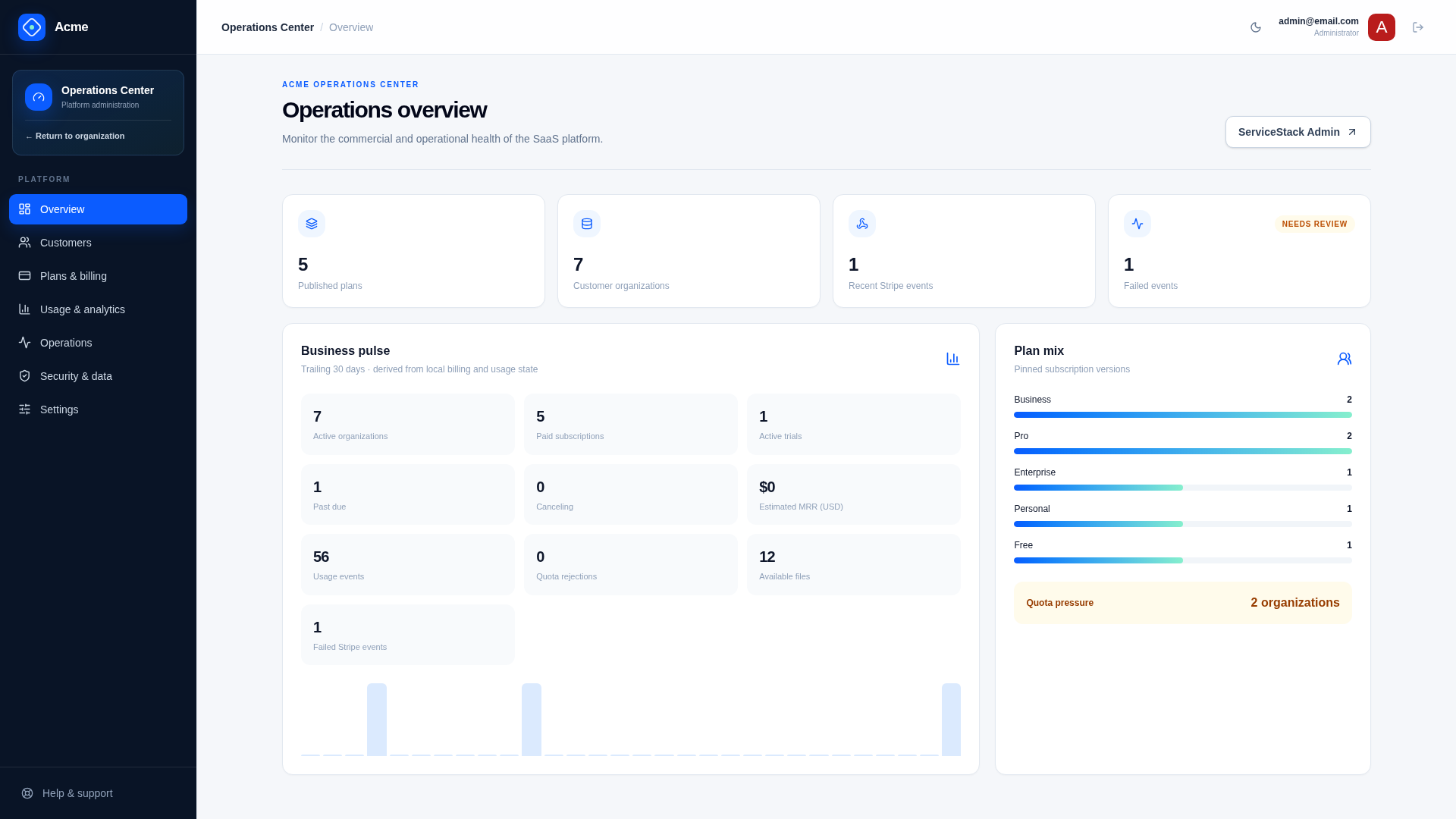
The /admin Operations Center uses capability-aware side navigation and focused static routes: customer workflows live at /admin/customers, repair queues at /admin/operations, and retention, audit, and support-access controls at /admin/security.
Platform roles
Admin— full SaaS configuration and operations.BillingAdmin— customer lookup and billing diagnosis/repair.Support— customer lookup and explicitly granted read-only support access.
These are platform roles, separate from organization Owner, Admin, Billing, and Member roles. Service authorization remains authoritative even when a panel is hidden in the UI.
Operations Center navigation
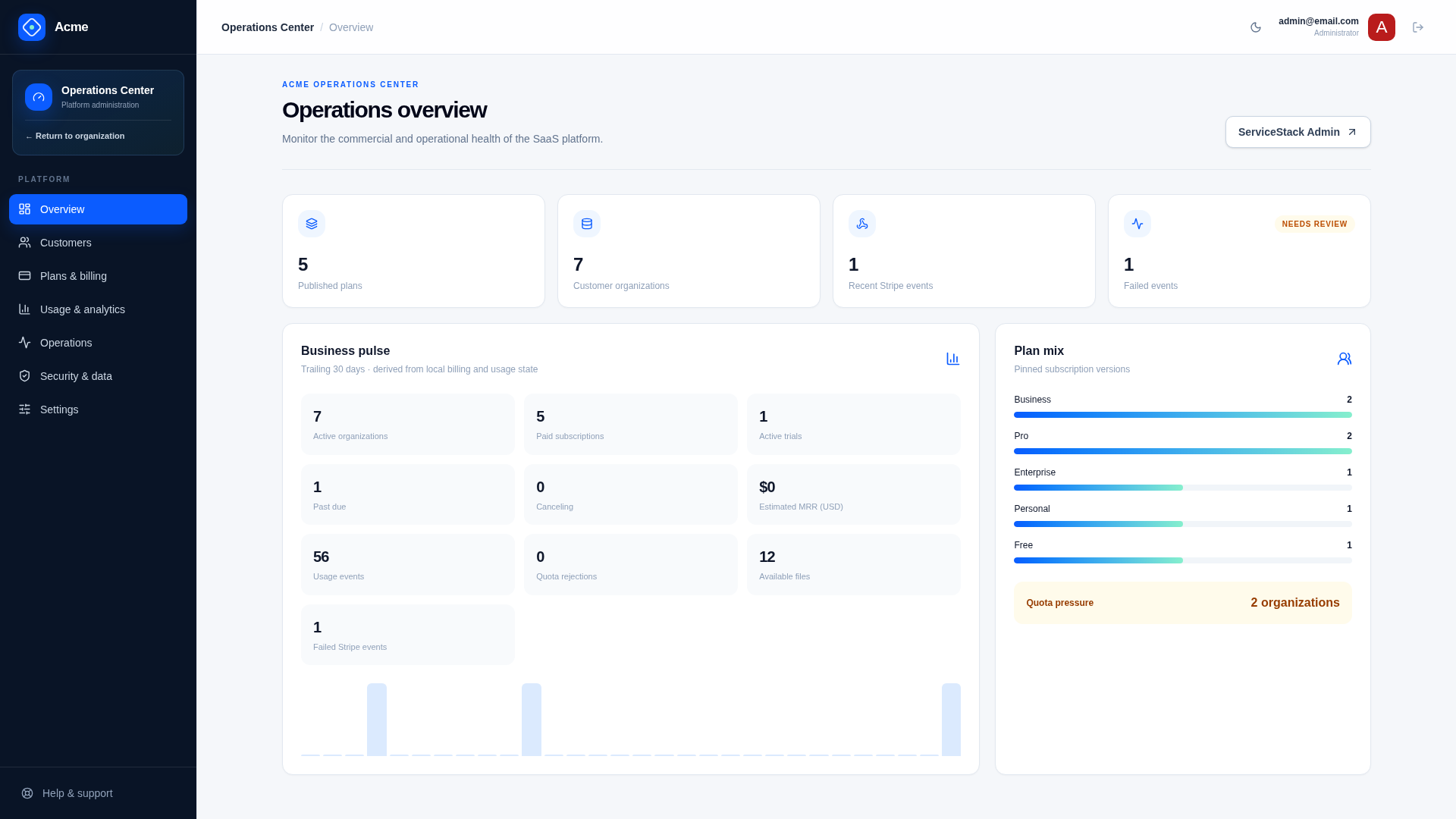
The application shell replaces organization navigation with a persistent Operations Center side menu on every /admin/* route. On smaller screens the same allowed destinations appear in a horizontally scrollable bottom menu. Selecting Return to organization restores the customer-facing application navigation.
| Route | Purpose | Visible to |
|---|---|---|
/admin | Platform overview and role-specific shortcuts | Admin, BillingAdmin, Support |
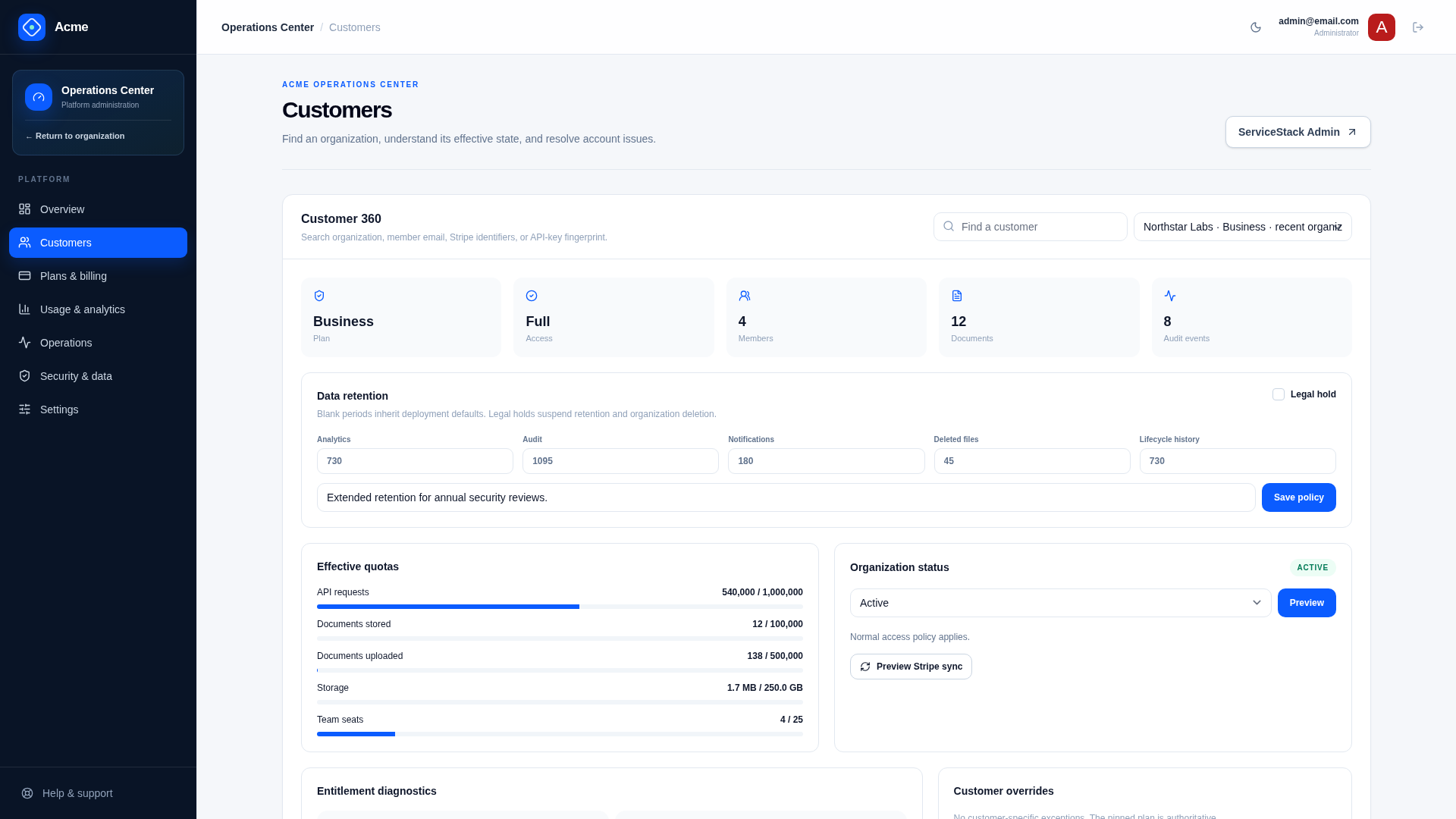
/admin/customers | Customer 360, support notes, billing diagnostics, quota and retention exceptions | Admin, BillingAdmin, Support |
/admin/plans | Separate Plans and Coupons tabs | Admin |
/admin/usage | Platform analytics, plan mix, growth, and quota pressure | Admin |
/admin/operations | Failed Stripe/notification/lifecycle work and integration readiness | Admin, BillingAdmin |
/admin/security | Retention runs and audit for Admin; active support access for allowed operators | Admin, Support |
/admin/settings | Read-only explanation of JSON, plan, and customer configuration ownership | Admin |
Navigation visibility is a convenience, not authorization. Every API independently applies the corresponding platform capability. Each route loads only the data it displays; changing Operations Center routes does not mount the hidden sections or start their API requests.
Customer 360 and operations
GET /saas/admin/customerssearches by organization, member email, Stripe identifiers, or API-key fingerprint.GET /saas/admin/customers/{WorkspaceId}returns role-filtered organization, subscription, entitlements, usage, members, files, notes, audit, notifications, lifecycle, support, and retention context.GET /saas/admin/customer-healthscores each customer's health, least healthy first, with the signals behind it; see customer health.GET /saas/admin/operationsreturns failed queues, pending reservations, lifecycle work, support grants, retention runs, configuration readiness, and platform capabilities.POST /saas/admin/support-notesappends internal customer context.
Sensitive values are redacted and results are reduced according to the operator's role.
Risky operations
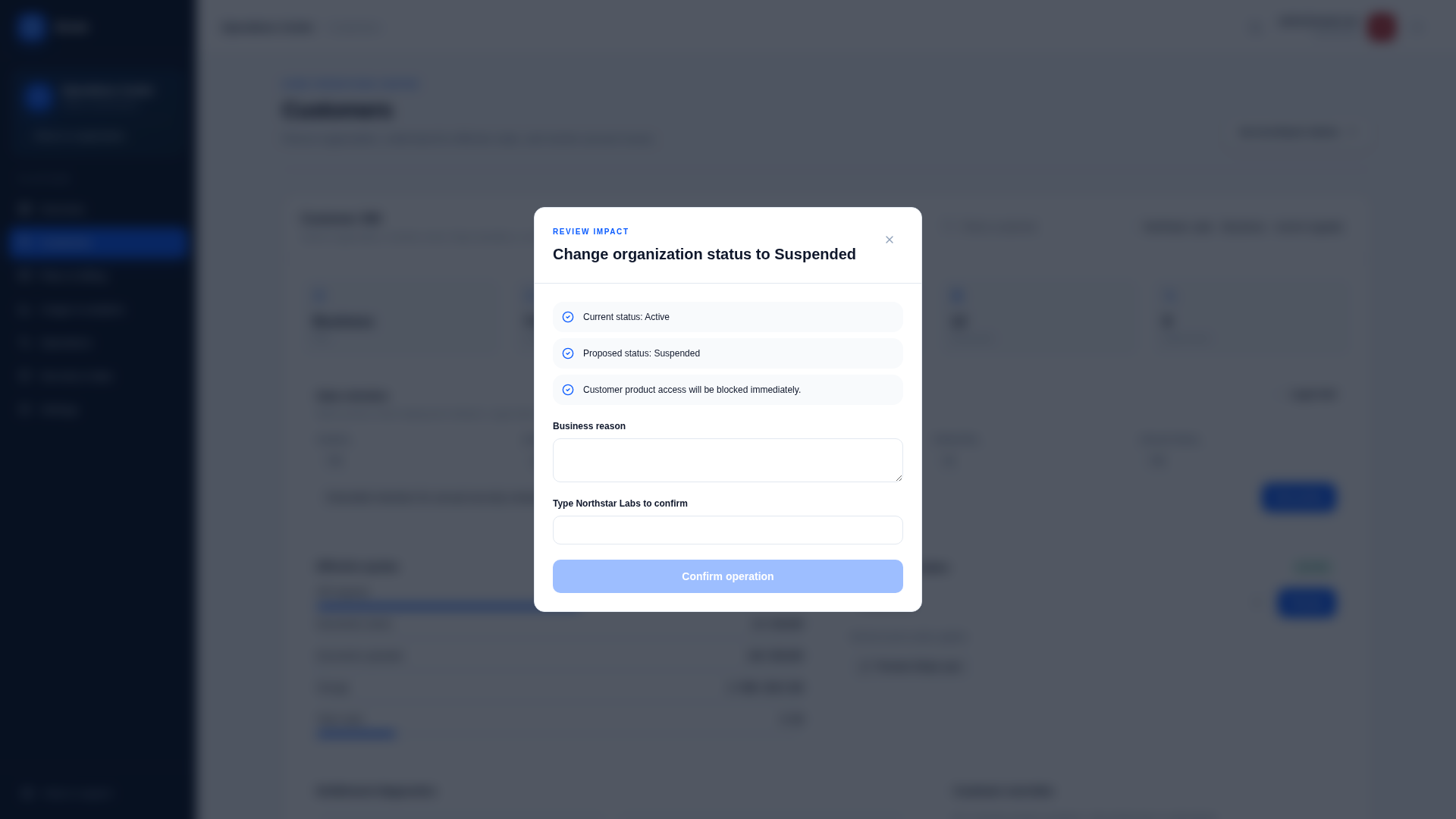
Usage adjustment, billing reconciliation, organization status changes, and retention changes require appropriate platform roles. Customer-impacting mutations require a reason; high-risk actions also require exact organization confirmation.
POST /saas/admin/operations/preview returns the confirmation string, impact, and warnings before supported mutations. The server revalidates everything when executing; preview is explanatory, not authorization.
Retry endpoints exist for failed Stripe inbox events, notifications, and lifecycle work. Retrying must preserve the original idempotency boundary.
Support access
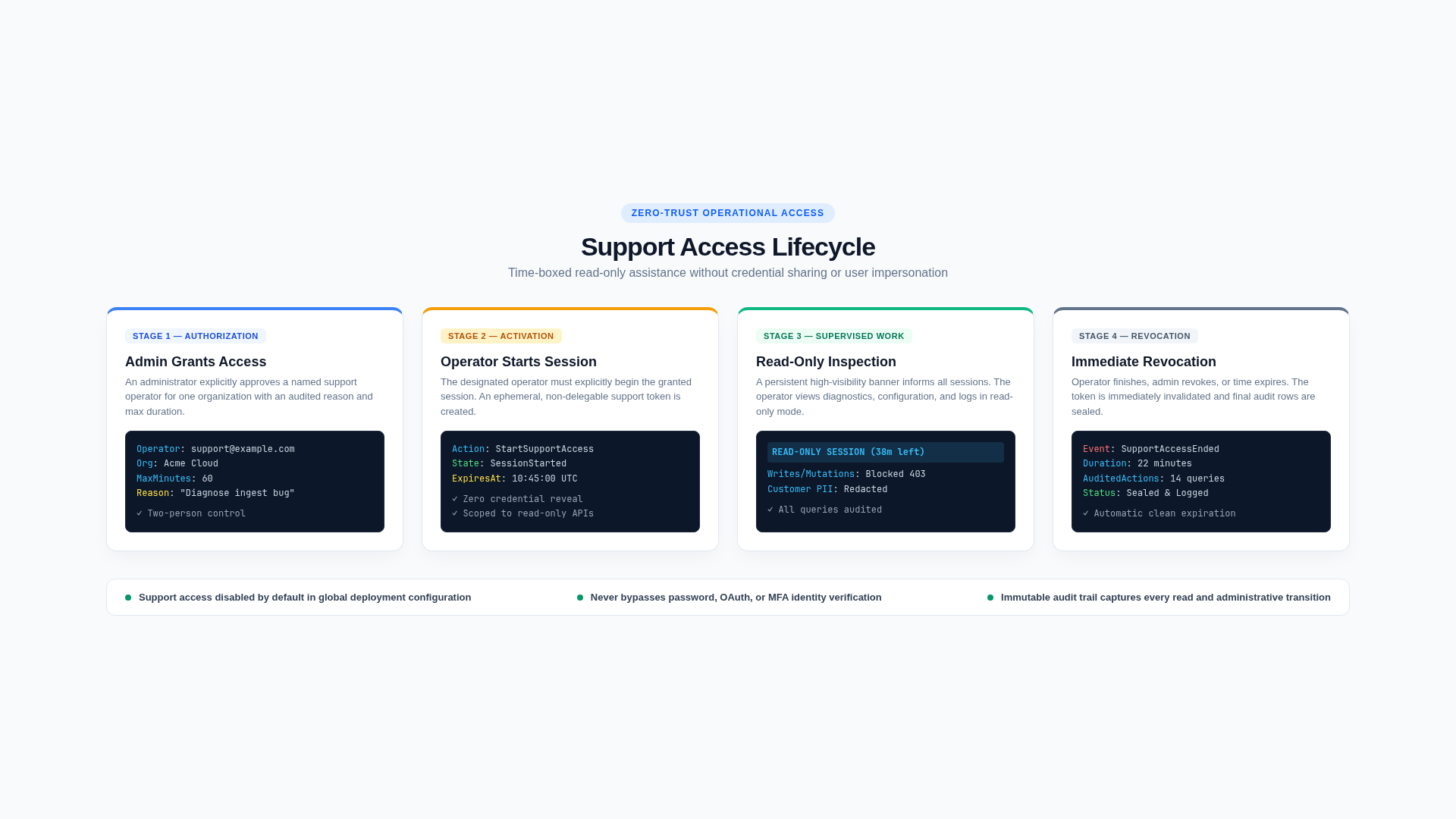
Support access is globally off by default through Saas.EnableSupportAccess. When enabled:
- an Admin grants a named Support operator access to one organization for a reason and bounded duration;
- the operator explicitly starts the grant;
- the application resolves that exact tenant in a redacted, read-only support context;
- end, revoke, or expiry removes access immediately.
Saas.SupportAccessMaxMinutes caps duration. Support access does not grant mutation rights, reveal credentials, or impersonate an organization member. Grant, start, use, end, revoke, and expiry are audited.
Operational configuration
Global safety policy belongs in JSON. Customer exceptions and legal holds belong in the RDBMS. The operations response exposes readiness signals without returning secrets, so production staff can distinguish missing Stripe/email configuration from customer-specific failures.
Extension points
- Add a new operator action only with a role decision, preview/confirmation policy, reason, audit event, and idempotency strategy.
- Integrate ticket IDs into support notes and grant reasons without storing external ticket contents.
- Replace in-process search or rate limiting as scale requires, preserving role-filtered projections.
- Export audit/telemetry to external operations systems rather than giving them direct database access.
Verify
Test the full role matrix, search by each identifier type, redaction, previews, confirmation mismatch, retries, disabled support access, grant expiry/revoke/end, read-only enforcement, tenant isolation, legal hold, and audit coverage.
Related documentation
Data lifecycle
Organization lifecycle tools cover portable exports, delayed deletion, cancellation, ownership transfer, member departure, retention overrides, and legal holds.
Development recipes
These recipes are the shortest safe paths for extending Next SaaS while preserving typed contracts, organization isolation, entitlements, quota correctness, and static-export compatibility.