Next SaaS Template
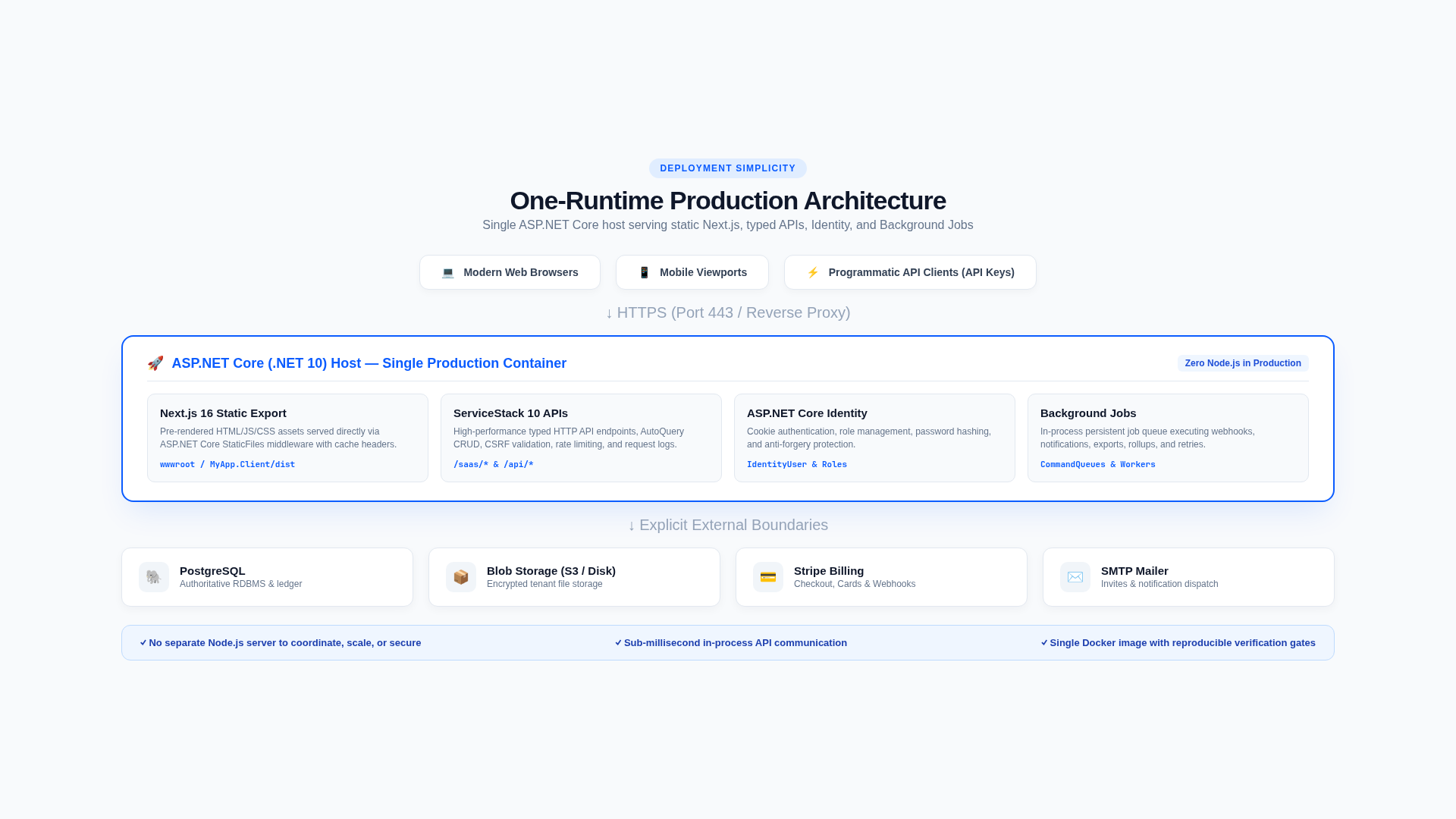
Next SaaS is a .NET 10, ServiceStack, ASP.NET Core Identity, React 19, and Next.js 16 template for multi-tenant B2C and B2B SaaS products. Acme, the included document-storage product, is intentionally small: it demonstrates subscriptions, quotas, storage, analytics, teams, and operations without imposing a product domain.
Start here
New developers should follow the onboarding path in order. It takes the application from a clean checkout to a verified product change and optional Stripe sandbox subscription.
- Understand the template
- Choose your database
- Run it locally
- Tour the project
- Customize the product
- Add a metered feature
- Connect Stripe sandbox
- Verify and ship
Reference documentation
The remaining documentation is organized by task and can be read independently:
- Concepts — architecture, organizations and tenancy, plans and entitlements, usage and quotas, and background processing.
- Features — billing and subscriptions, plans, pricing, and trials, coupons, organizations and members, API keys, file storage, usage analytics, notifications, audit logs, data lifecycle, and the Operations Center and support workflows.
- Development — recipe index, ServiceStack APIs, feature gates, meters and quotas, background jobs, database migrations, frontend pages, typed DTO generation, testing, and AI-assisted development.
- Operations — runbook index, configuration, secrets, deployment, database and storage, choose a database, Setup PostgreSQL, observability and health, background jobs and recovery, external services, retention and lifecycle, backup and restore, and troubleshooting.
- Security — security index, authentication and accounts, authorization and roles, tenant isolation, API credentials and abuse controls, Stripe webhook security, support access, data protection and privacy, web and input security, and the production security review.
The planned onboarding, concept, feature, development, operations, and security documentation sets are now present. Existing root-level documents remain available as compatibility entry points where material has moved into this structure.
Documentation conventions
- Paths are relative to the repository root unless stated otherwise.
Workspaceis the internal code and database term; the product UI calls it an Organization.- C# request and response types in
MyApp.ServiceModelare authoritative.MyApp.Client/lib/dtos.tsis generated. - Configuration keys use JSON notation in prose, such as
Saas.EnableTrials, and double underscores in environment variables, such asSaas__EnableTrials. - Commands assume a Bash-compatible shell on Linux or macOS. Equivalent PowerShell commands can be used on Windows.
Quick command index
# Run locally
cd MyApp
dotnet watch

# Diagnose local configuration
./scripts/doctor.sh

# Recreate development state
ASPNETCORE_ENVIRONMENT=Development ./scripts/reset-dev.sh --yes

# Run every validation gate
./scripts/verify.sh

# Check production configuration and run verification
./scripts/preflight.sh
Useful application surfaces:
| URL | Purpose |
|---|---|
/ | Public product site |
/dashboard | Customer organization overview |
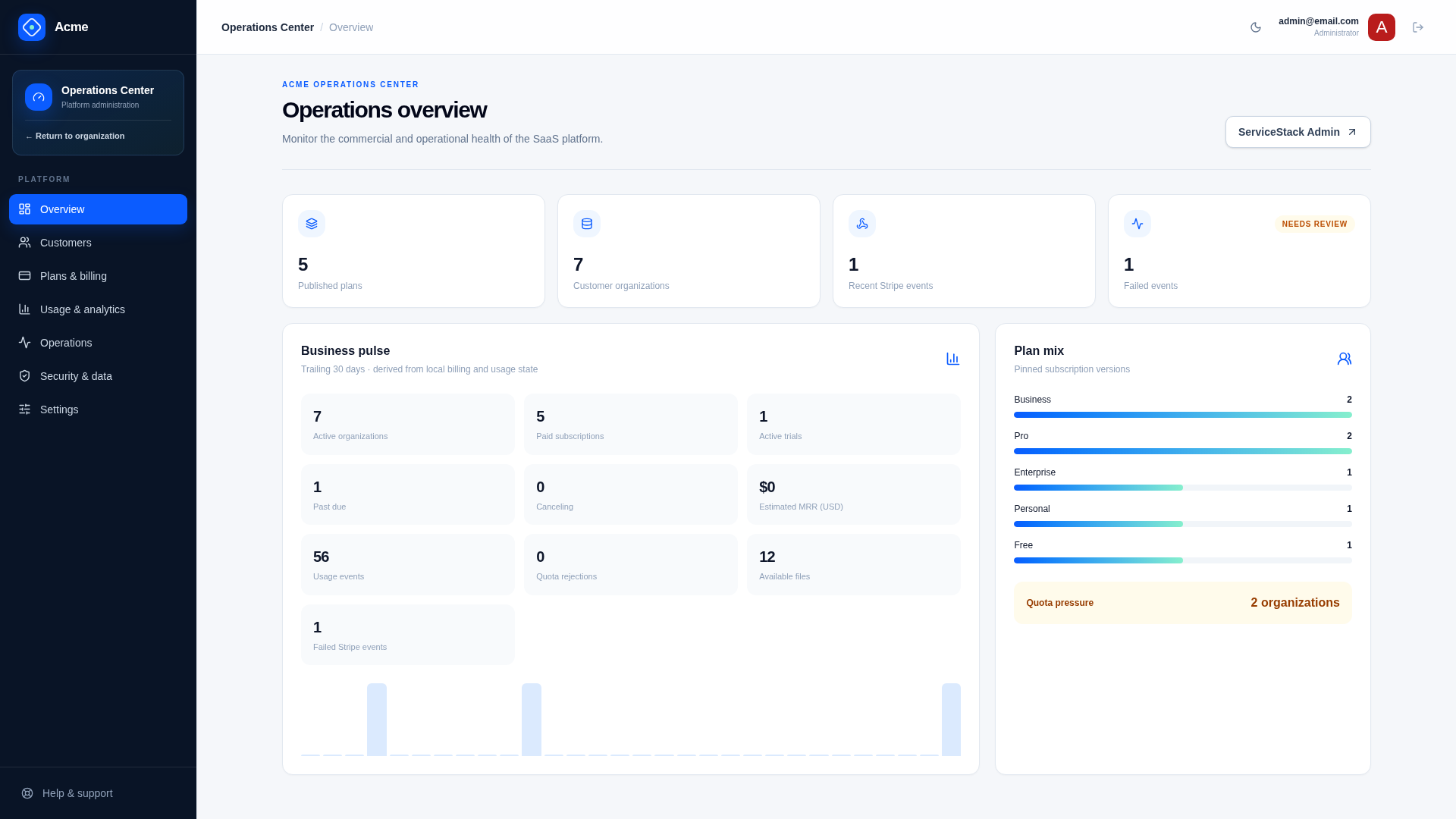
/admin | Operations Center overview and side navigation |
/admin/customers | Customer 360 and customer exceptions |
/admin/plans | Plans and Coupons tabs for catalog and discount management |
/admin/usage | Platform usage analytics and quota pressure |
/admin/operations | Failed work queues and integration readiness |
/admin/security | Retention, support access, and platform audit |
/admin/settings | Platform configuration ownership |
/admin-ui | ServiceStack administration |
/scalar/v1 | OpenAPI reference |
/ui | ServiceStack API Explorer |
/up | Process liveness |
/ready | Database and file-store readiness |