Add a metered feature
This walkthrough adds a hypothetical reports.generate feature limited by a reports.generated billing-period counter. It demonstrates the template’s preferred end-to-end pattern; adapt the names to your product.
Decide what is being controlled
Features and meters answer different questions:
reports.generate: may this organization use report generation?reports.generated: how many reports has it consumed in this billing period?
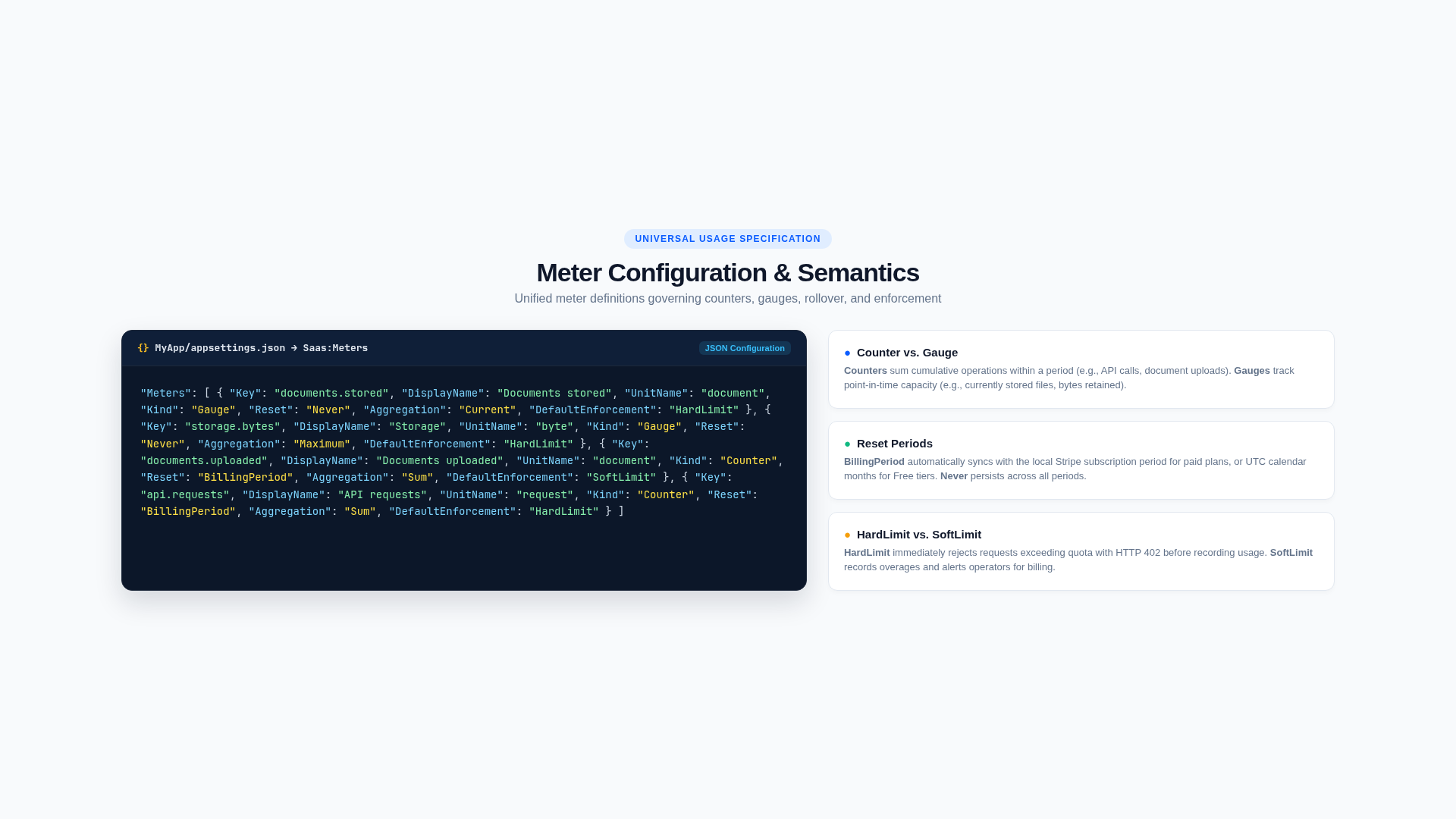
Use a counter for discrete actions that accumulate and reset. Use a gauge for current resources, such as stored files or bytes. Work with an uncertain final cost should reserve capacity first and settle the actual usage afterward.
1. Register the definitions
Add a feature and meter to the Saas section of MyApp/appsettings.json:
{
  "Key": "reports.generate",
  "DisplayName": "Report generation",
  "Description": "Generate downloadable reports.",
  "Category": "Reporting",
  "DefaultEnabled": false
}{
"Key": "reports.generated",
"DisplayName": "Reports generated",
"UnitName": "report",
"Kind": "Counter",
"Reset": "BillingPeriod",
"Aggregation": "Sum",
"DefaultEnforcement": "HardLimit",
"AllowCustomerBreakdown": true,
"AllowUserBreakdown": true
}Configuration validation rejects duplicate or empty keys at startup.
2. Add plan allowances
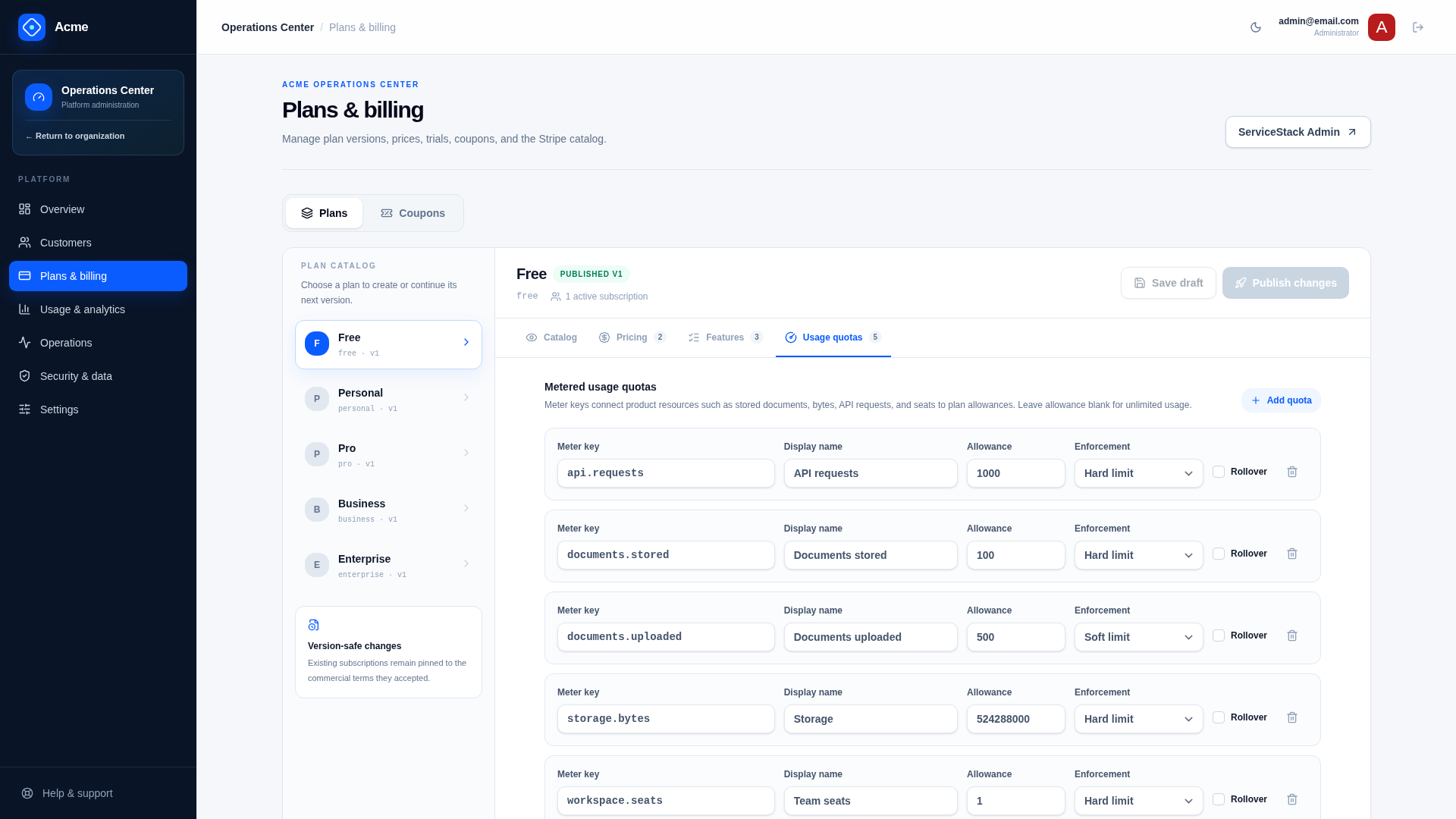
Add the feature and a ReportsGenerated seed property to the appropriate entries in MyApp/plans.json, then extend Migration1000’s PlanSeed, SeedPlan, and quota insertion to persist reports.generated.
For example, typical allowances might be:
| Plan | Feature | Reports per billing period |
|---|---|---|
| Free | Disabled | 0 |
| Pro | Enabled | 100 |
| Business | Enabled | 2,000 |
| Enterprise | Enabled | Unlimited or contract-specific |
For an already running derived product, add a forward migration or create and publish plan drafts through administrative APIs. Never mutate a published version in place.
Recreate the development database after changing clean-state seeds:
ASPNETCORE_ENVIRONMENT=Development ./scripts/reset-dev.sh --yes3. Define the API contract
Add the request and response in MyApp.ServiceModel. Keep contracts small and declarative:
[ValidateIsAuthenticated]
[RequiresFeature("reports.generate")]
[Route("/reports", "POST")]
public class GenerateReport : IPost, IReturn<GenerateReportResponse>
{
    [ValidateNotEmpty]
    public string IdempotencyKey { get; set; } = "";
}

public class GenerateReportResponse
{
    public string ReportId { get; set; } = "";
    public UsageSummary Usage { get; set; } = new();
    public ResponseStatus? ResponseStatus { get; set; }
}
RequiresFeature is enforced server-side by the global SaaS request filter. Hiding a button in React is helpful UX, not authorization.
4. Implement organization-scoped behavior
The Request DTO implements IRequireWorkspace, so the service's connection is confined to the organization the request is for. The service performs product work and records usage through ISaasManager, using the organization and membership from Db.GetWorkspaceScope().
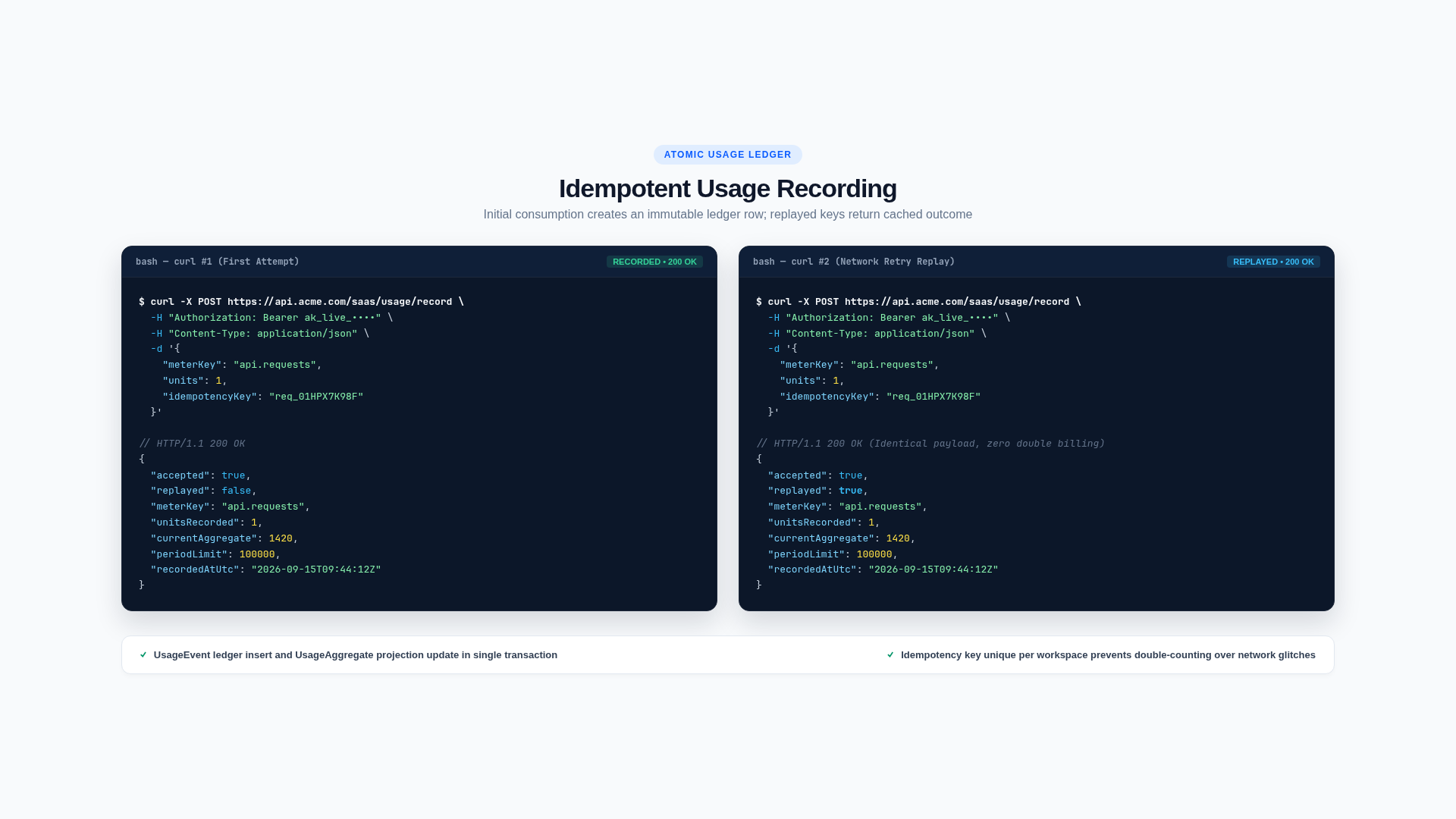
The core metering call is:
var scope = Db.GetWorkspaceScope();
var usage = manager.RecordUsage(Db, scope.Workspace, subscription, scope.UserId,
    new RecordUsage {
        MeterKey = "reports.generated",
        Units = 1,
        IdempotencyKey = request.IdempotencyKey,
        MetadataJson = new { reportId }.ToJson(),
    });
Important rules:
- Accept an idempotency key from the caller or create one at the start of a larger durable workflow.
- Replaying the same logical operation must not consume quota twice.
- Do not query Stripe to authorize the request.
- Let
ISaasManagerresolve the effective plan and customer override. - Return
QuotaExceededwithout performing irreversible work when a hard limit would be exceeded. - If report generation is expensive or asynchronous, reserve one unit before enqueueing a Background Job, then settle or release it in the worker.
If the product write and usage event must be atomic, keep them in the same database transaction. For external work, use a persisted workflow and idempotent compensation rather than holding a transaction open.
5. Regenerate the TypeScript client
Start the backend, then run:
cd MyApp.Client
npm run dtos
Import GenerateReport from @/lib/dtos and call it through the shared client:
const api = await client.api(new GenerateReport({
  idempotencyKey: crypto.randomUUID(),
}))

if (!api.succeeded) {
  setError(api.error?.message ?? 'Unable to generate the report.')
  return
}
Read entitlements from the shared SaaS dashboard state to explain why UI is unavailable, but continue to rely on the server for enforcement.
6. Expose usage and operations
Once the meter belongs to published plan versions, the generic usage APIs and /usage UI can display its allowance, period, consumption, projections, user breakdown, warnings, and CSV export. Customer 360 also exposes effective quota state to authorized operators.
Add product-specific metadata sparingly. Never place secrets, document contents, or personal data in usage metadata.
7. Classify and test the feature
Update features.json with the module’s routes, tables, configuration, feature keys, meter keys, jobs, and tests. The architecture guard will fail for an unclassified OrmLite table.
At minimum, test:
- feature enabled and disabled behavior;
- allowance resolution from the pinned plan;
- customer override precedence and expiry;
- exact-limit acceptance and over-limit rejection;
- idempotent replay;
- organization isolation;
- concurrent admission if the last units can be consumed simultaneously;
- worker retry and reservation compensation for asynchronous work.
Run the full gate:
./scripts/verify.shCompletion checklist
- The feature and meter have stable keys.
- Every applicable published plan has an explicit decision.
- Server-side feature and quota enforcement is present.
- Customer data access is organization-scoped.
- Usage is idempotent and safely ordered around product work.
- The generated client, UI, analytics, audit, and operations experience are updated.
features.jsonand tests describe the new boundary.
Customize the product
Make the template visibly yours before adding domain behavior. Product identity is deployment-wide configuration; plans and customer exceptions remain database state.
Connect Stripe sandbox
Use Stripe sandbox mode until plan creation, trials, checkout, webhooks, renewals, failures, cancellation, and the Customer Portal all behave correctly.