Notifications
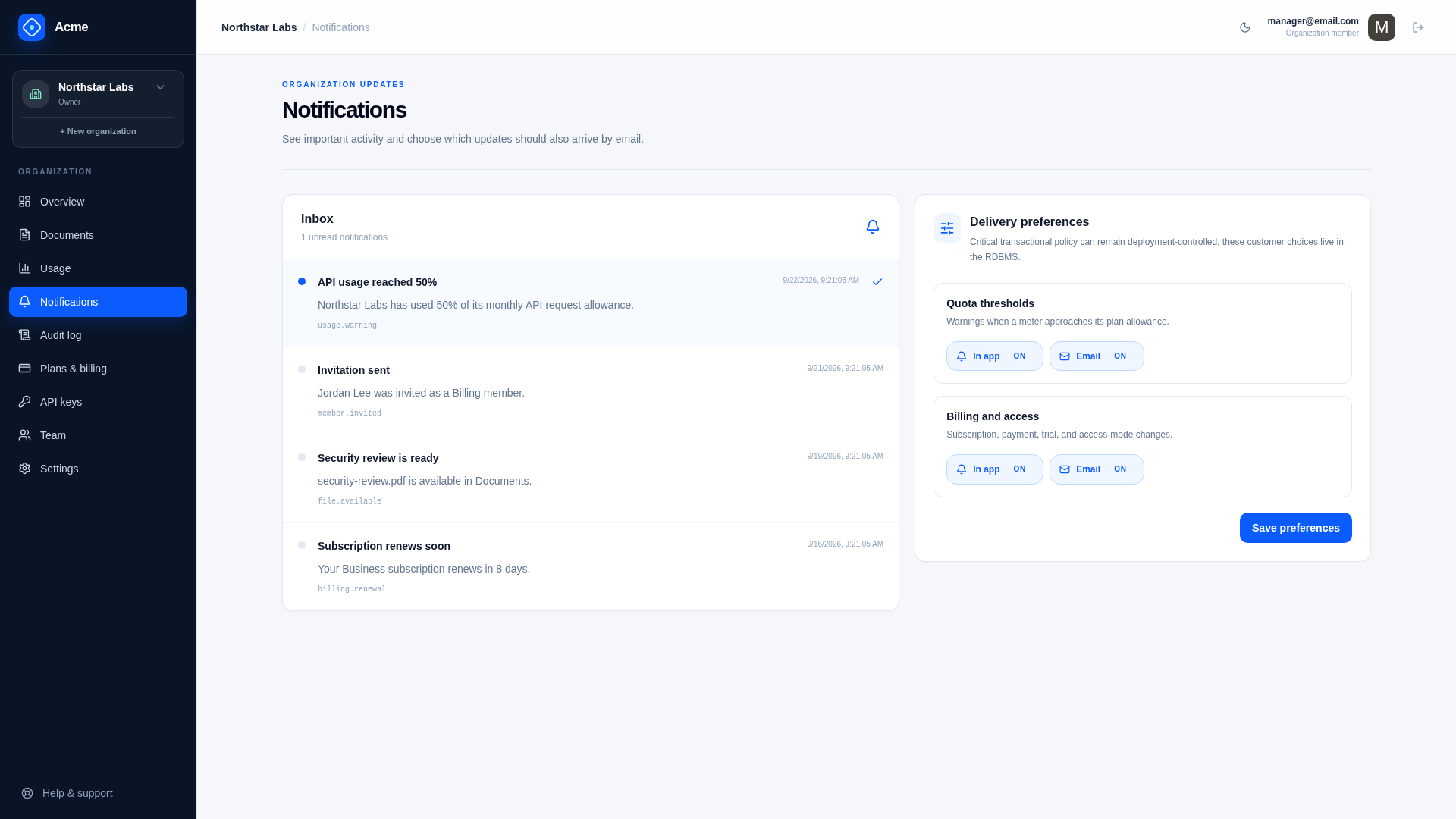
The notification subsystem provides in-app and email delivery, customer preferences, deduplication, retries, and an operator failure queue.
APIs
GET /saas/notifications/preferencesPOST /saas/notifications/preferencesGET /saas/notifications?unreadOnly=truePOST /saas/notifications/{Id}/readPOST /saas/admin/notifications/{Id}/retry
Preferences are stored per user, organization, template key, and channel, so a member of two organizations can choose differently in each. A template-specific preference wins over the * fallback. Notifications that belong to no organization, such as account security emails, have no preferences and are always sent.
Delivery flow
Call INotificationManager.Queue with recipient, template key, rendered subject/body, and a stable deduplication key. The manager creates at most one delivery per key and channel.
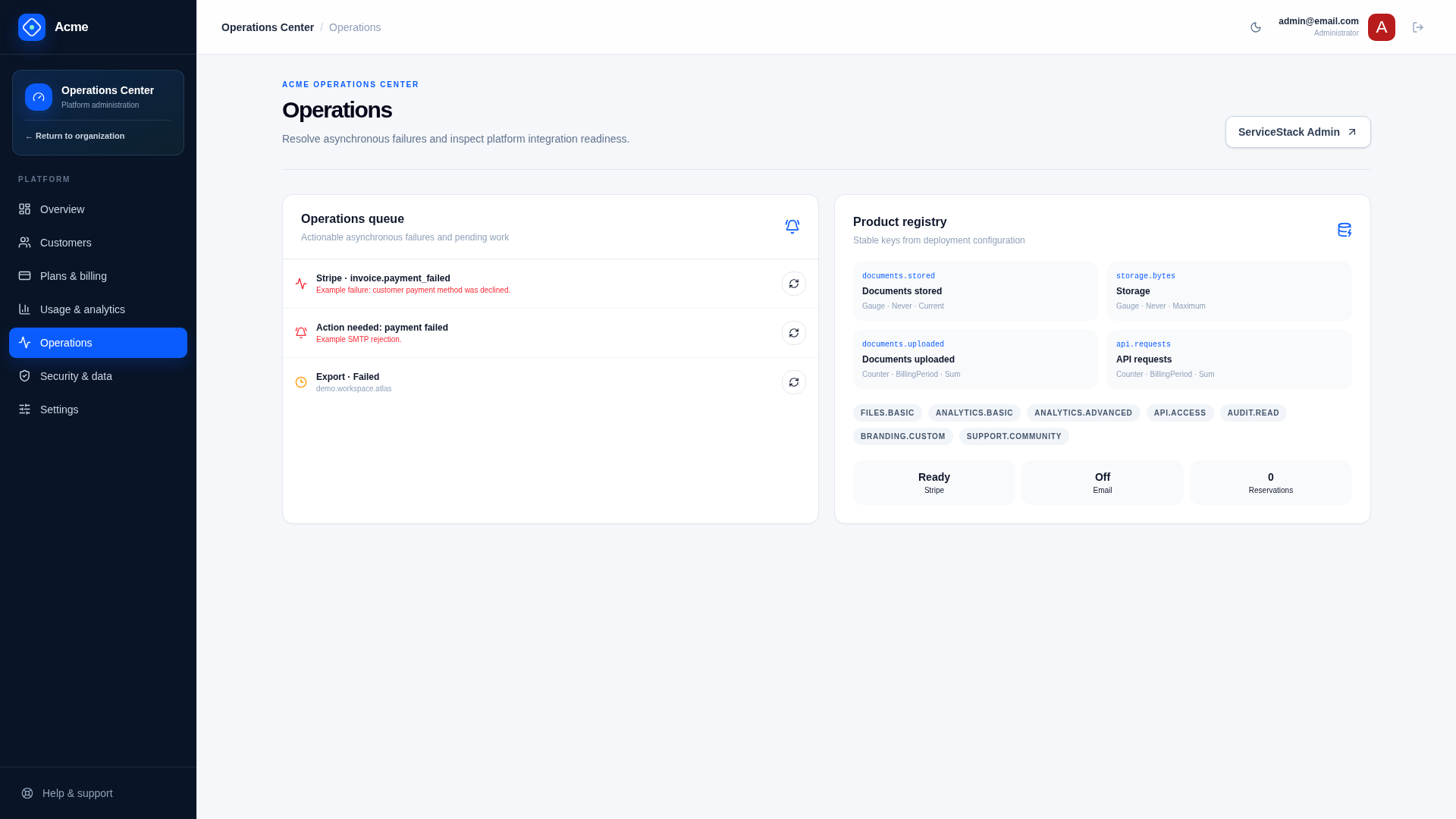
In-app delivery is stored immediately when enabled. SMTP delivery is processed by ProcessNotificationDeliveryCommand and the ServiceStack email background job. Attempts, provider identifier, delivery state, and the last error remain visible to operators.
Development mode records email as delivered to the local development inbox without contacting a provider. It does not prove SMTP or production deliverability.
Configuration
{
  "Notifications": {
    "FromName": "Acme",
    "FromEmail": "noreply@example.com",
    "Provider": "Development",
    "EnableInApp": true,
    "MaxAttempts": 5
  }
}
Supported providers are Development, Smtp, and Disabled. Smtp also requires SmtpConfig. Production preflight rejects missing required email configuration.
Design rules
- Persist the delivery before enqueueing work.
- Use a deterministic business-event key, not a random retry key.
- Keep secrets and unnecessary personal data out of delivery metadata.
- Honor preferences for optional messages; define transactional exceptions deliberately.
- Treat provider acceptance and inbox delivery as different outcomes.
Retention and recovery
Saas.NotificationRetentionDays supplies global retention and can be overridden by an organization retention policy. Failed deliveries appear at /admin/operations for authorized retry. Retries reuse the existing delivery record and stop at Notifications.MaxAttempts.
Verify
Test wildcard and template-specific preferences for both channels, duplicate queue calls, SMTP success/failure, exhausted attempts, operator retry, in-app read state, tenant isolation, and retention cleanup.