Retention and lifecycle
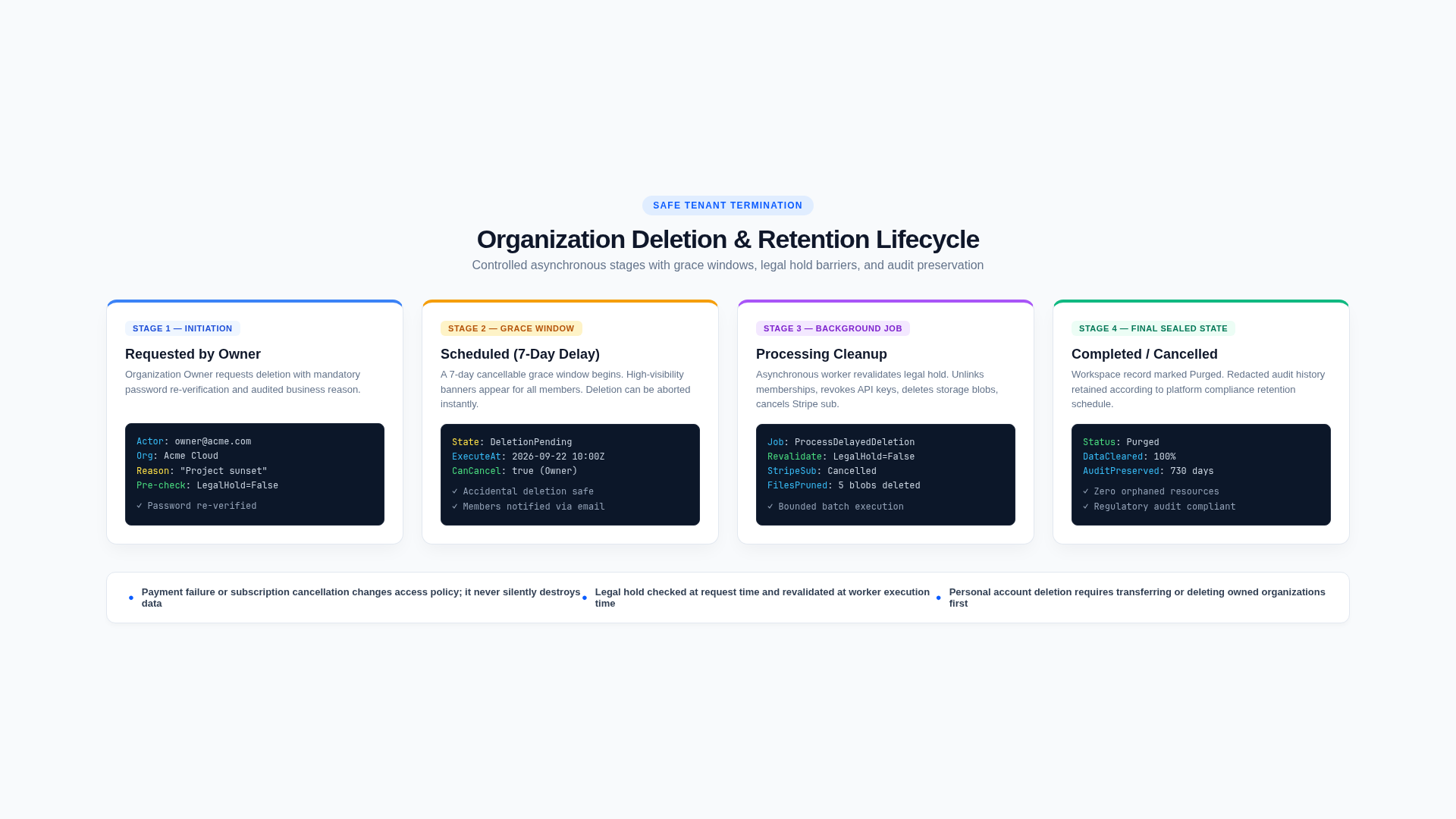
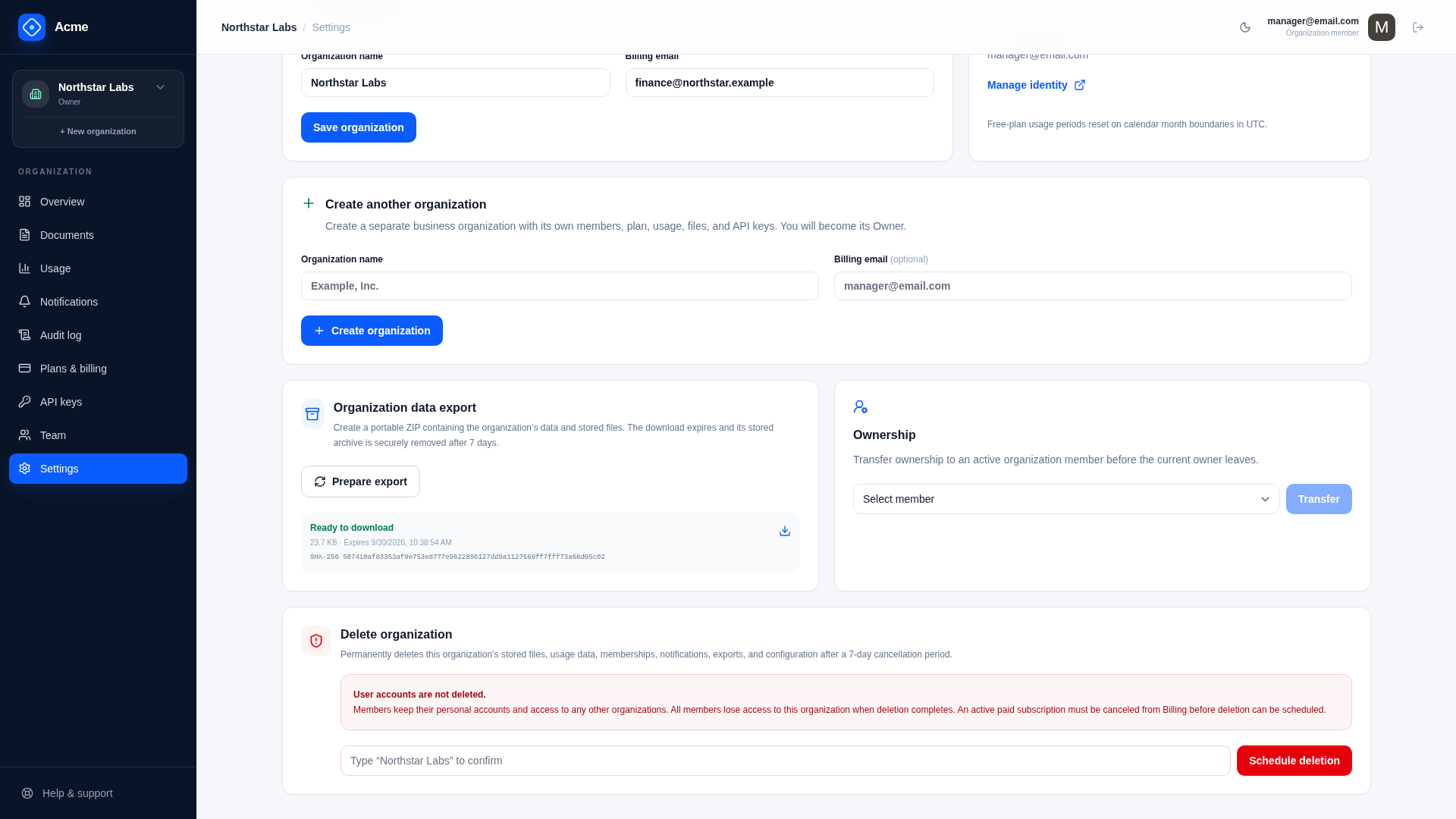
Retention limits operational/customer history; lifecycle workflows provide exports and delayed organization deletion. Subscription changes never trigger data deletion.
Global defaults
The Saas configuration defines analytics, audit, notification, deleted-file metadata, and lifecycle-history retention; export expiry; organization deletion delay; batch size; and whether legal holds are available.
Choose durations with product, contractual, security, tax, and jurisdiction requirements. The template defaults are examples, not legal advice.
Organization policies
Platform Admin can store per-organization overrides and legal hold in WorkspaceRetentionPolicy from Customer 360 at /admin/customers. Global cleanup runs and audit evidence appear under /admin/security. Blank durations inherit global values. Every change requires a reason and is audited.
Legal hold excludes the organization from scheduled pruning and blocks deletion both at request time and inside the delayed worker. The second check handles holds applied after deletion was scheduled.
Scheduled cleanup
ApplyDataRetentionCommand runs daily in bounded batches. It prunes eligible usage events/rollups, delivered or suppressed notifications, deleted-file metadata, expired export metadata, completed lifecycle history, and audit events.
Each run writes DataRetentionRun status, counts, timestamps, and errors. Large backlogs converge across successive runs because each category is batch-limited.
Export bytes expire hourly through ExpireDataExportsCommand; lifecycle metadata remains until its history window. A successful metadata cleanup is not a substitute for proving the underlying object was deleted.
Operational review
Monitor last successful retention run, rows deleted by category, oldest eligible row, backlog trend, failures, and organizations on legal hold. Test changed policies with representative dates before shortening a production window.
When adding a tenant-owned table or object:
- classify ownership and required retention;
- a table implementing
IHasWorkspaceIdis exported and deleted with its organization by default; add it toWorkspaceData.NotExportedorKeptAfterDeletion, with the reason, if it should not be; - include objects outside those tables, such as files in another store, in export and deletion yourself;
- add normal retention only when appropriate;
- apply legal hold consistently;
- add counts, audit, tests, and operator visibility.
Related documentation
External services
Stripe and SMTP are the two production dependencies included by default. The application remains usable on Free plans without Stripe in development, but the default production policy requires both.
Backup and restore
Backups are only complete when the RDBMS, file objects, protected keys, configuration version, and restore procedure can reproduce a consistent service.