Authorization and roles
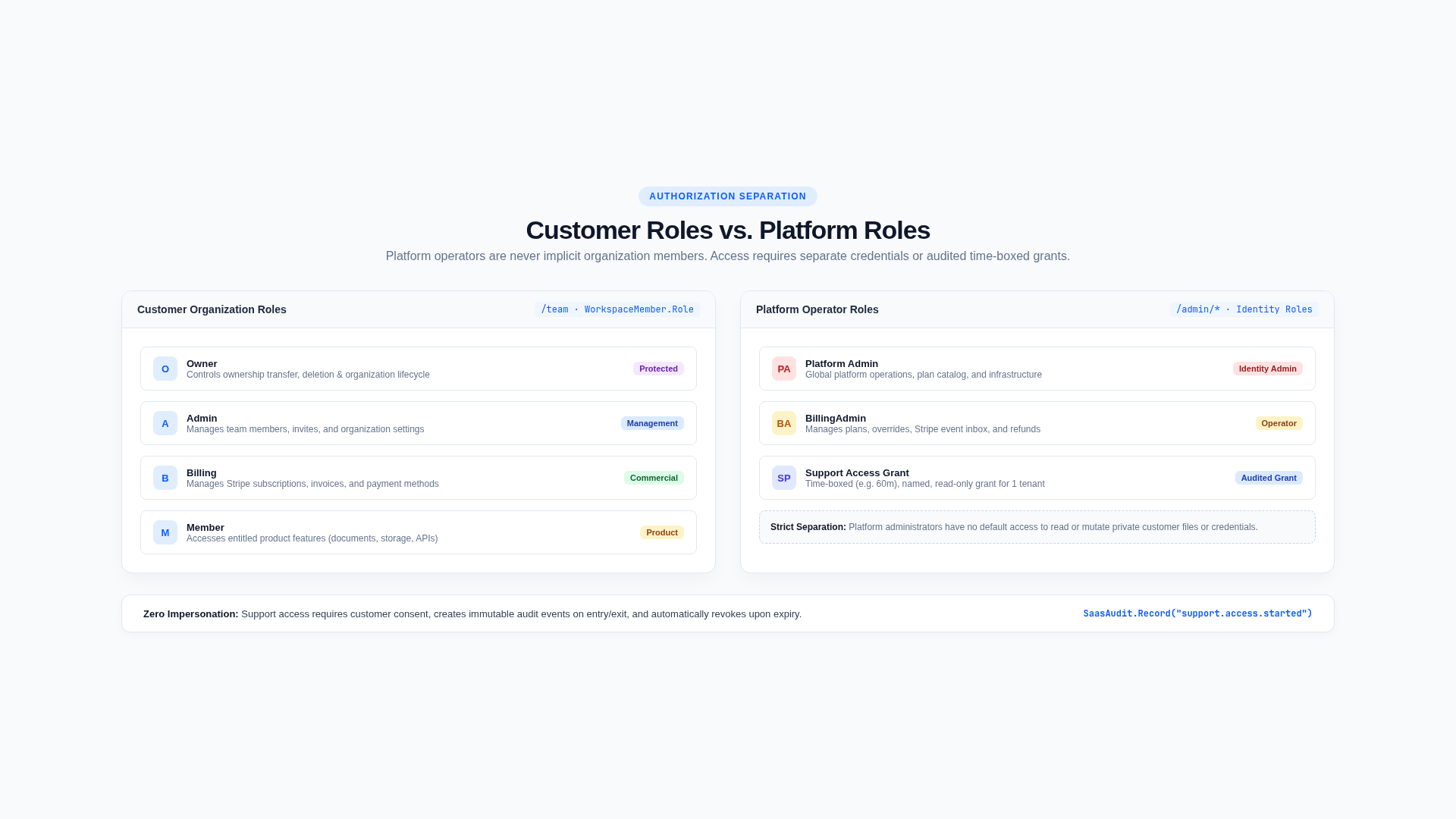
Next SaaS separates customer organization permissions from platform operator permissions. A role in one system never implies a role in the other.
Organization roles
| Role | Typical authority |
|---|---|
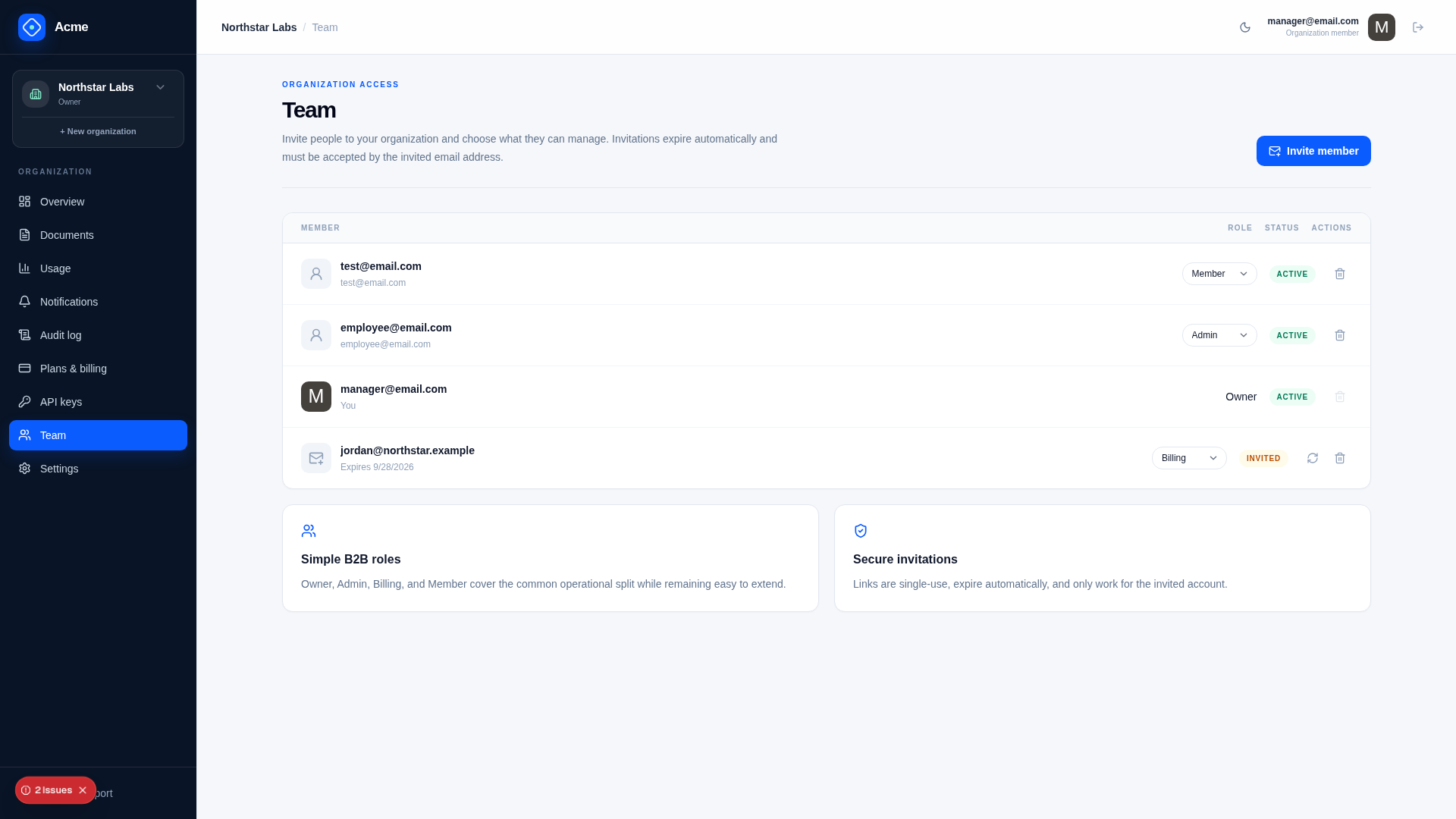
| Owner | Full organization administration, ownership transfer, lifecycle/deletion |
| Admin | Profile, members, exports, and organization administration |
| Billing | Checkout, subscription, invoices/portal, and billing workflows |
| Member | Use entitled product features |
WorkspaceAuthorization.RequireOwner, RequireAdmin, and RequireBilling are the central policy helpers. Owner and Admin may administer; Owner, Admin, and Billing may manage billing.
Membership must be active and match the resolved organization. Ordinary member role changes cannot manufacture an Owner or bypass the ownership-transfer flow.
Platform roles and capabilities
| Role | Capabilities |
|---|---|
| Admin | View customers, manage billing/support/platform, approve support access |
| BillingAdmin | View customers and manage billing |
| Support | View customers and manage support within support-access policy |
PlatformAuthorization maps roles to explicit capabilities. Use it for product-specific operator APIs even when a DTO also declares [ValidateHasRole]. This produces one reviewable role matrix and avoids accidental broadening as the console grows.
Platform membership does not create organization membership. Support users need an approved, started grant for redacted customer context; Admin has direct platform authority and does not impersonate a member.
Enforcement order
For a customer operation:
- authenticate the user or API credential;
- check the caller is an active member of the organization the request is for;
- evaluate workspace/subscription access mode;
- require the relevant organization role;
- require commercial feature entitlement;
- enforce quota/idempotency;
- constrain the resource query to the organization;
- audit privileged results.
For platform operations, require the narrow platform capability and apply redaction/support-access constraints before loading customer details.
Review rules
- UI visibility is not authorization.
- Avoid scattered string-role checks outside central policy.
- Default new actions to no role until deliberately assigned.
- Require recent authentication or exact confirmation for destructive operations.
- Test every allowed and denied role, not only anonymous access.
- Do not authorize from a plan name, price, email domain, or client-supplied organization ID.
Related documentation
Authentication and accounts
ASP.NET Core Identity owns users, password credentials, confirmation tokens, external-login records, two-factor state, recovery codes, and application cookies.
Tenant isolation
The internal Workspace is the tenant boundary shown to customers as an Organization. Files, usage, subscription state, entitlements, members, notifications, audit, credentials, and lifecycle records are organization-bound.