Support access
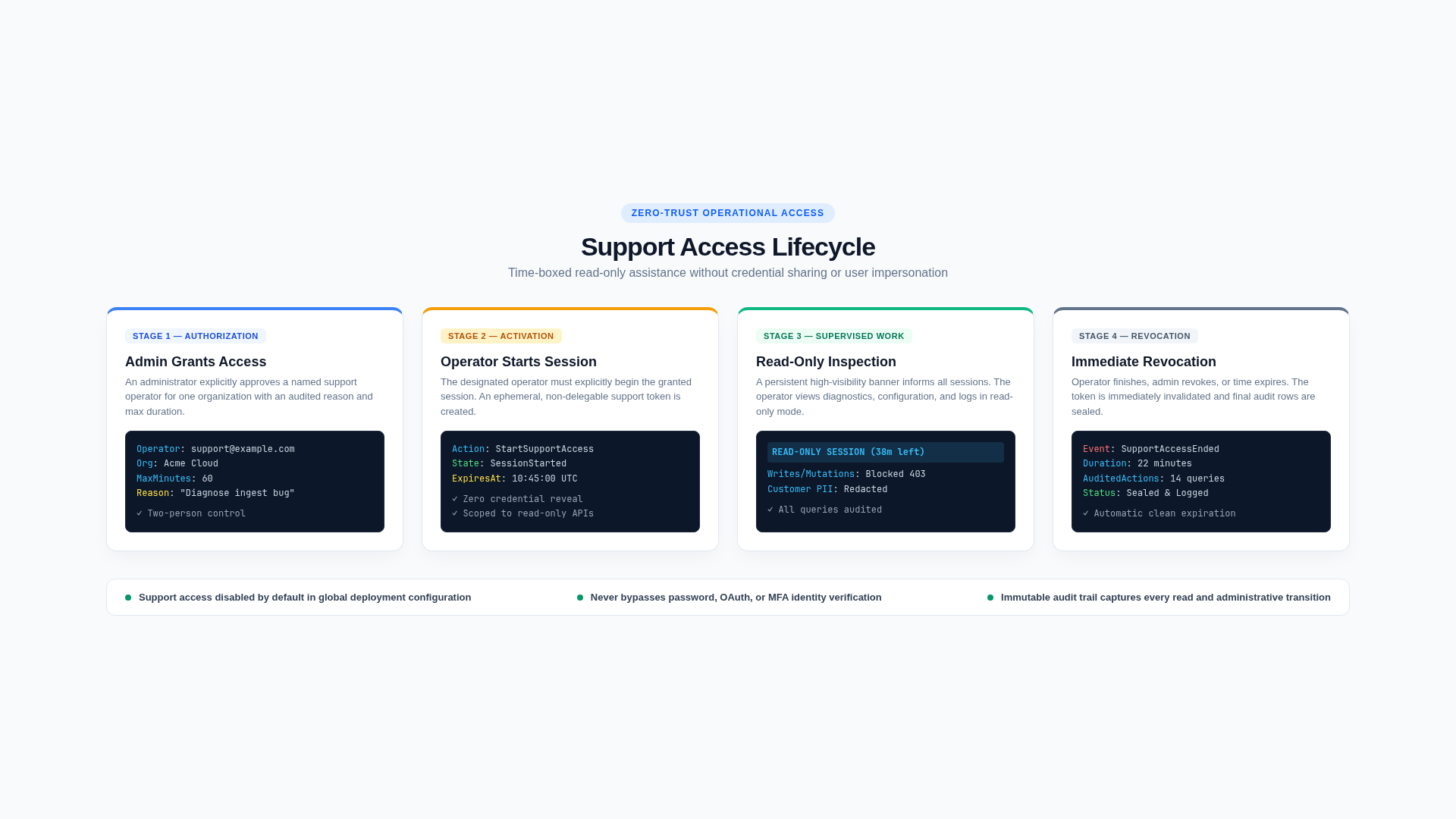
Temporary support access limits how a platform operator can inspect a customer's organization during an investigation.
Default posture
Saas.EnableSupportAccess is false by default. When disabled, grants cannot be created. Enabling the feature should be a deliberate deployment decision with operator MFA, monitoring, and customer policy.
Grant lifecycle
- An Admin selects a named Identity user already holding the Support role.
- The Admin grants one organization, a required reason, and a duration capped by
Saas.SupportAccessMaxMinutes. - The Support operator explicitly starts their own grant.
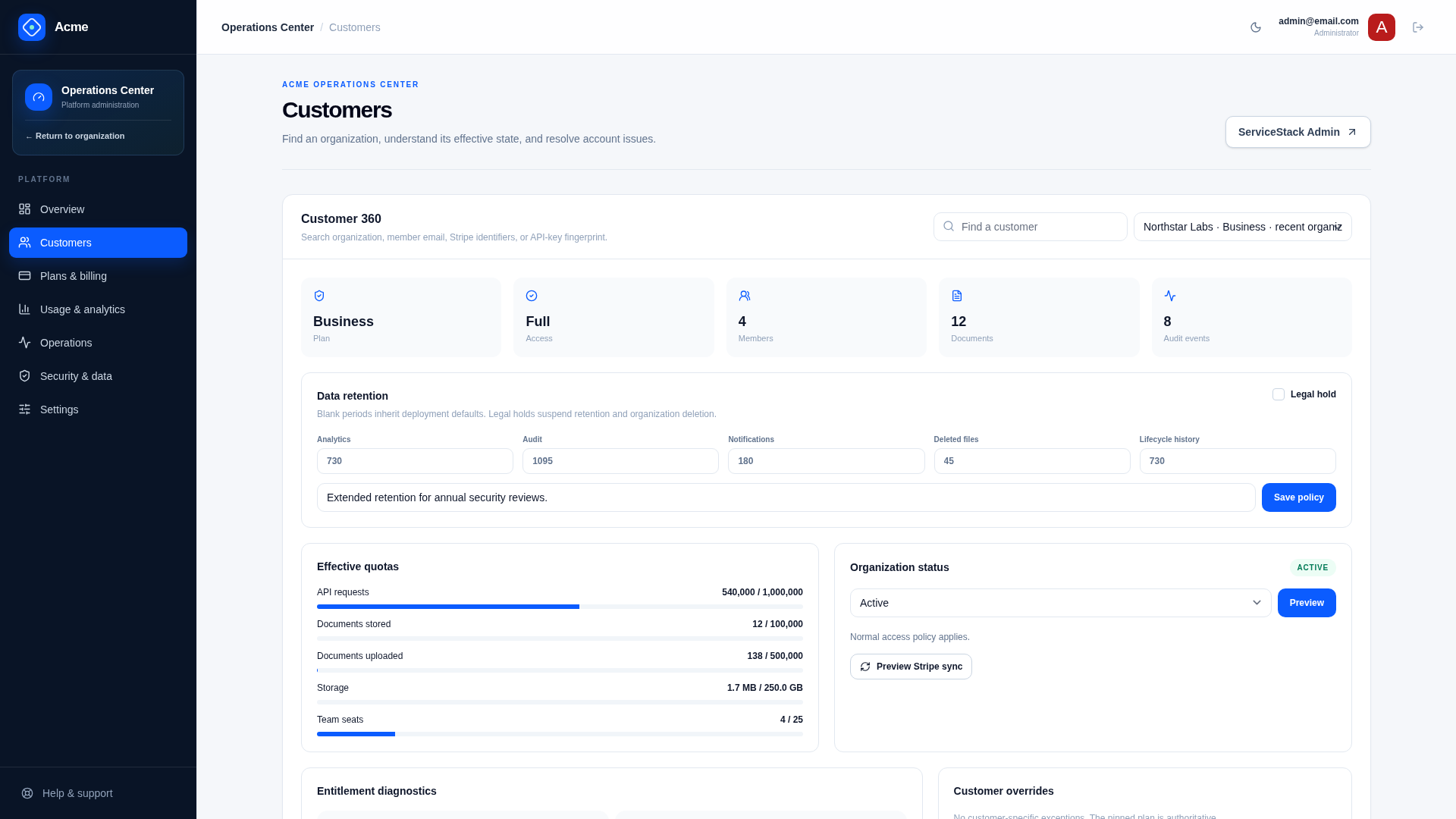
- Customer 360 at
/admin/customersresolves the exact operator, organization, start/end, expiry, revoke state, andReadOnlycapability; active grants are summarized at/admin/security. - The operator ends access, an Admin revokes it, or it expires automatically.
Admin operators already have direct platform capability and do not start support sessions. BillingAdmin authority remains limited to billing/customer diagnostics.
Data minimization
Support projections remove billing identifiers unless the role can manage billing. Raw API keys, provider secrets, file bytes, authentication factors, and customer export contents are not support data.
Support access is read-only. Product mutation endpoints still require organization membership or a separate platform capability; a support grant must not be treated as impersonation.
Platform APIs that work on one customer, including Customer 360 and support notes, confine their request's database connection to that organization with RequireCustomer(workspaceId) before reading anything. The grant is then looked up within that organization, and the rest of the API can only reach that customer's rows.
Grant, start, denied use, end, revoke, expiry-sensitive access, notes, and associated operator actions should be correlated through audit and request IDs. Reasons and notes must not contain credentials or unnecessary personal data.
Production controls
- Require phishing-resistant MFA where possible for Admin and Support.
- Use least-privilege named accounts; prohibit shared operators.
- Alert on unusually long, frequent, cross-region, or after-hours sessions.
- Review active grants and operator roles regularly.
- Define whether/how customers are notified and how support actions appear in their audit view.
- Remove access immediately during offboarding.
Verify
Test globally disabled access, wrong operator/tenant, unstarted grant, expiry boundary, revoke/end, Admin behavior, BillingAdmin denial, read-only mutation attempts, redacted fields, notes, audit coverage, and operator offboarding.
Related documentation
Stripe webhook security
The Stripe webhook is unauthenticated by user session and therefore authenticates the provider message cryptographically before trusting its content.
Data protection and privacy
Protect customer data across transport, storage, logs, exports, support access, backups, retention, and deletion—not only in the primary database.