Database migrations
Next SaaS uses EF Core for ASP.NET Core Identity and ServiceStack OrmLite migrations for SaaS product data. Both use the configured database.
Development recipes · Architecture
Product schema with OrmLite
Product entities live in MyApp.ServiceModel; numbered migrations live in MyApp/Migrations and inherit MigrationBase.
A migration declares its own copy of each table it creates or changes, as the table is at that migration, instead of using the App's model. The App's model is the latest version of the table and changes in later migrations, which would change what an earlier migration creates:
public class Migration1002 : MigrationBase
{
    // The table as this migration creates it, a copy of the App's Widget model
    public class Widget
    {
        [PrimaryKey] public string Id { get; set; } = Guid.NewGuid().ToString("N");
        [Index] public string WorkspaceId { get; set; } = default!;
        public string Name { get; set; } = "";
        public DateTime CreatedDate { get; set; }
    }

    public override void Up()
    {
        Db.CreateTable<Widget>();
    }

    public override void Down()
    {
        Db.DropTable<Widget>();
    }
}
Its base classes and enums are copied into the migration too, like Migration1000 copies SaasAuditBase and the
enums of its tables. MigrationSchemaTests runs every migration and checks the tables they create are the same as
the App's models, so a model that changes without a migration fails the tests.
Use a new migration number in any derived application whose database has been shared, deployed, or contains data that matters. Keep Up and Down deterministic and avoid network/provider calls.
During active template development, the repository intentionally supports reshaping Migration1000 and recreating SQLite from empty state. That shortcut must not carry into a shipped customer application.
Identity schema with EF Core
ApplicationDbContext owns users, roles, logins, and Identity tokens. Use EF migrations for Identity model changes. Do not map SaaS product entities into EF merely because Identity already uses it.
SQLite uses checked-in EF migrations when present, applied with Migrate().
PostgreSQL bootstraps Identity from the current model instead, matching the template's clean-state development policy. It cannot simply call EnsureCreated(), which creates tables only when the database has none: ServiceStack features such as API keys and CrudEvents create their own tables while the application starts, and a release deploys the application before it runs the migration task. By then the database is no longer empty and EnsureCreated() would silently create nothing, leaving the migration to fail on relation "AspNetRoles" does not exist. The task therefore creates the Identity schema explicitly when AspNetUsers is absent, so the outcome does not depend on nothing else having touched the database first.
A production-derived product should adopt a deliberate EF migration strategy before preserving PostgreSQL data across model changes.
Run and inspect
cd MyApp
npm run migrate

# Development-only OrmLite helpers
npm run revert:last
npm run rerun:last
An empty database also bootstraps itself on first start, in every environment, because an application whose schema does not exist can only fail. Migrating a populated database stays a deliberate release step.
For a complete local reset:
ASPNETCORE_ENVIRONMENT=Development ./scripts/reset-dev.sh --yesThis discards the local database — the SQLite file, or the container volume of whichever server provider DB_PROVIDER selects — and the local file store, then recreates users, roles, plans, and product tables. It is intentionally guarded and destructive.
Data and seed rules
MyApp/plans.jsonis an empty-state catalog seed, not ongoing catalog synchronization.- Use migrations for deterministic reference data required by code.
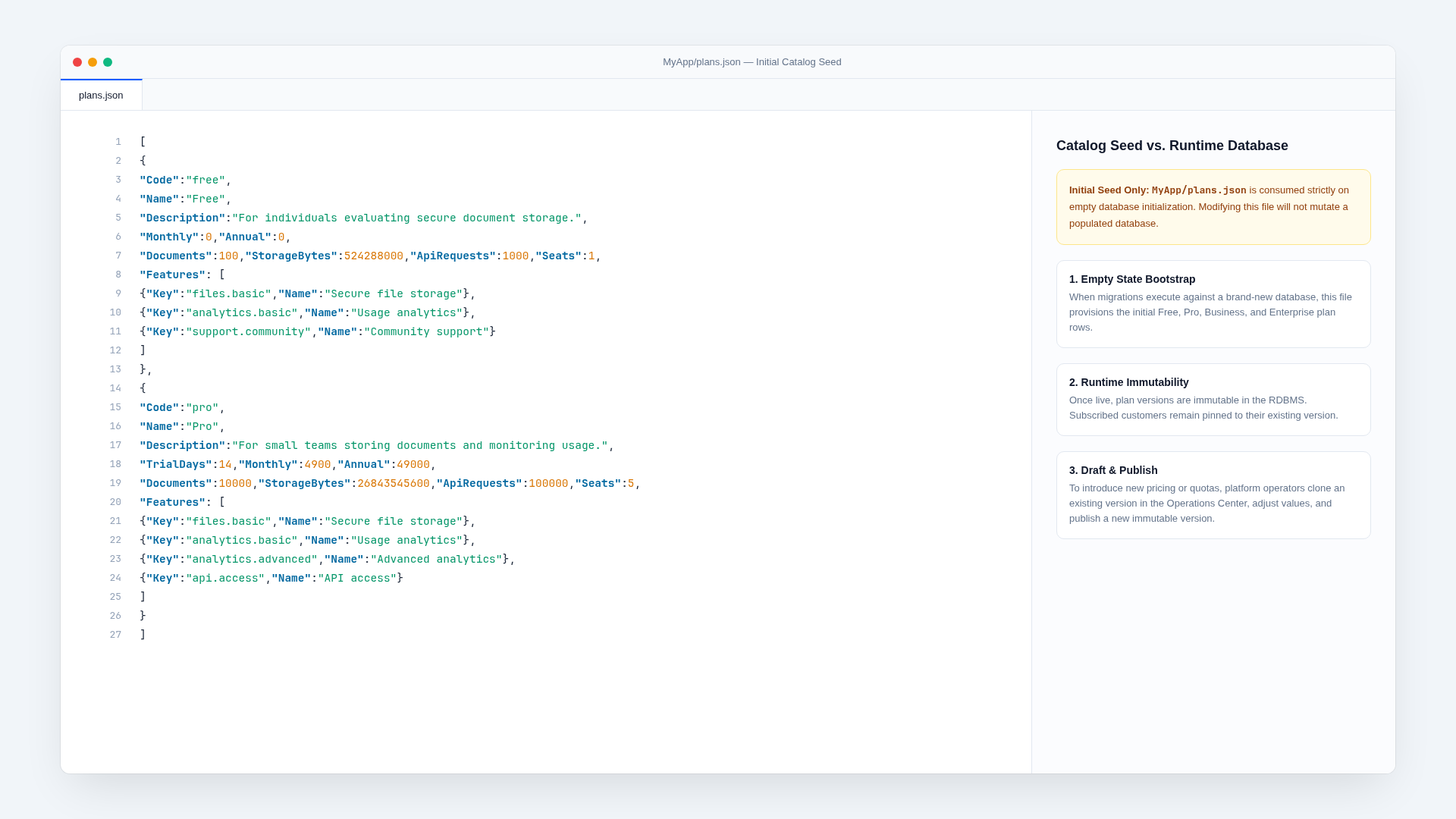
- Use the Admin draft/publish workflow for normal commercial plan changes.
- Give tenant tables indexed
WorkspaceIdfields and enforce business uniqueness in the database. - Test SQLite and PostgreSQL-specific behavior when changing concurrency, constraints, or SQL.
Verify
Run migrations on an empty database and a database at the prior version, inspect constraints/indexes, run Down only in disposable development state, and execute ./scripts/verify.sh. Its final gate starts production mode against a fresh temporary database and confirms reference tables and plans exist.
Related documentation
Add a background job
Use ServiceStack Background Jobs for work that is slow, retryable, scheduled, or should survive the initiating request.
Add a frontend page
Authenticated product pages are client-rendered React routes that call typed ServiceStack APIs and remain compatible with Next.js static export.