Generate typed DTOs
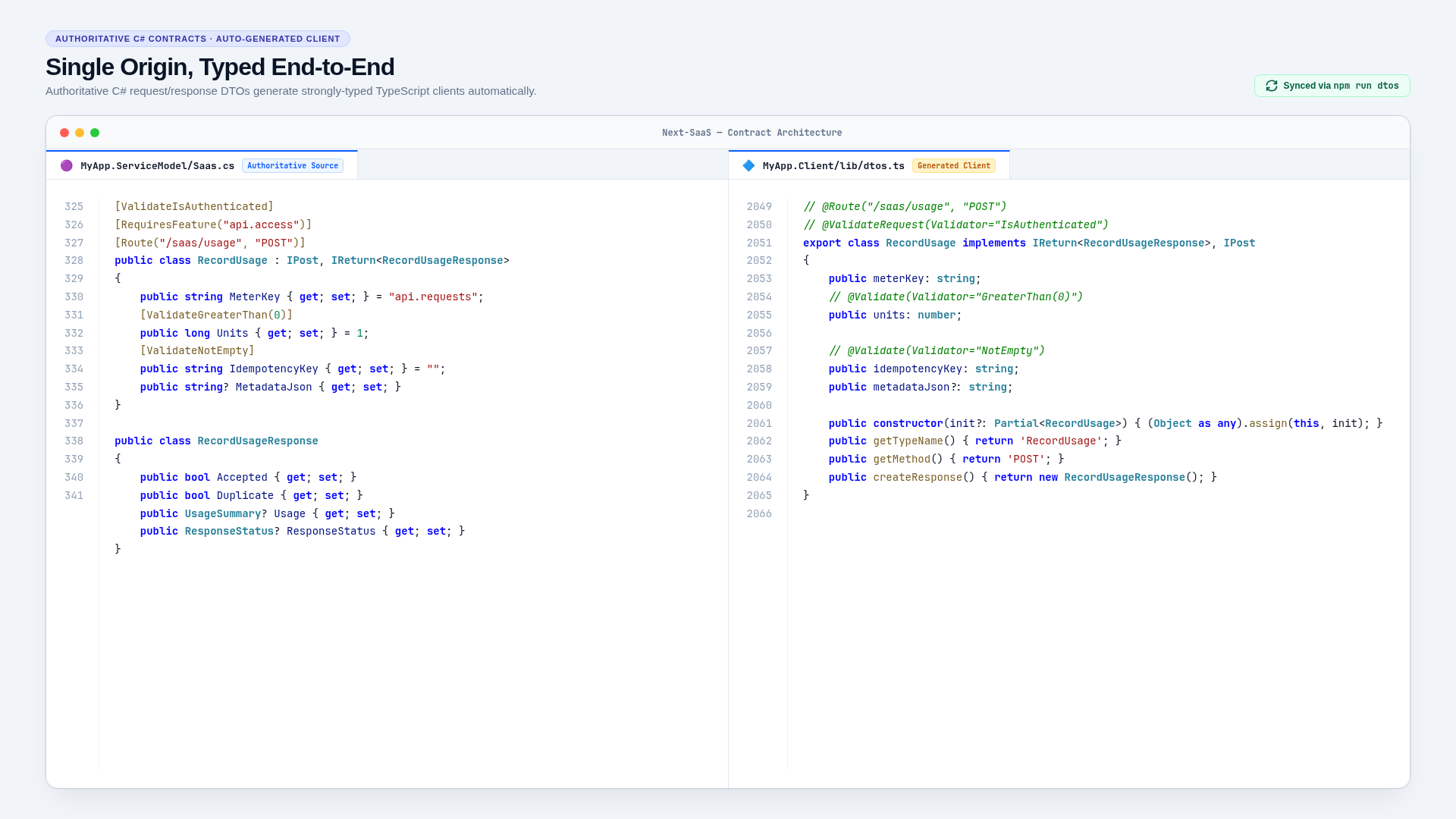
MyApp.ServiceModel is the contract source of truth. MyApp.Client/lib/dtos.ts is generated and must never be hand-edited.
Development recipes · Add a ServiceStack API
Generate
Start the ASP.NET application so its ServiceStack metadata is available, then run:
cd MyApp.Client
npm run dtos
The equivalent host-side script is:
cd MyApp
npm run dtos
The generator updates request classes, response classes, enums, routes, HTTP marker behavior, and typed createResponse implementations.
Contract workflow
- edit C# request/response types in
MyApp.ServiceModel; - build the backend and start it;
- regenerate
MyApp.Client/lib/dtos.ts; - update frontend imports and request construction;
- inspect the generated diff for unexpected removals or type changes;
- run backend and frontend verification.
If generation cannot connect, check the running URL, TLS trust, and apiBaseUrl/metadata configuration. Do not patch the generated output to work around a metadata or C# contract problem.
Compatibility choices
Adding an optional request property is generally easier for clients than renaming or removing one. Stable external APIs should introduce new DTOs/routes for breaking behavior. During template development, breaking changes are acceptable when every generated client and example is updated together.
Keep persistence-only fields out of public responses. Use enums for closed stable choices and nullable properties when absence has a distinct meaning.
Verify
Search for stale imports and old property names, run npm run typecheck, exercise the request through /ui or /scalar/v1, run client tests, and finish with the production build.
Related documentation
Add a frontend page
Authenticated product pages are client-rendered React routes that call typed ServiceStack APIs and remain compatible with Next.js static export.
Testing
Tests should concentrate on SaaS policy boundaries: authorization, organization isolation, idempotency, quota edges, immutable contracts, external-event replay, and recovery.